Multi-LLM Any AI Provider
Run agents on Anthropic, OpenAI, Google Gemini, Groq, or Mistral AI. Switch providers anytime without rewriting code.
Stop being tied to one AI provider. VoiceInfra lets you connect multiple LLMs, assign them to specific agents or workflows, and switch between them instantly. Whether you need faster responses, lower costs, or better reasoning, you control which model handles each call. No vendor lock-in. No rebuilds. Just better AI, on your terms.
What Makes This Feature Special
Discover the powerful capabilities that drive real business results
5 Leading AI Providers, One Platform
Connect Anthropic, OpenAI, Google Gemini, Groq, and Mistral AI in one place. Assign different models to different agents based on your goals. Swap providers anytime without touching your workflows.
Cut Costs Without Cutting Quality
Use fast, affordable models for simple FAQs and routing. Reserve premium reasoning models for complex support or sales calls. Pay only for the intelligence you actually need.
Zero Vendor Lock-In
Change providers, upgrade models, or run A/B tests without rebuilding your agents. Your configurations stay intact while you experiment with new AI capabilities.
Match Model Strength to Call Type
Speed matters for quick inquiries. Reasoning matters for troubleshooting. Let you route calls to the right model automatically based on intent, complexity, or your own rules.
Get started with this feature in a few simple steps
Everything you need to transform your voice operations from start to finish
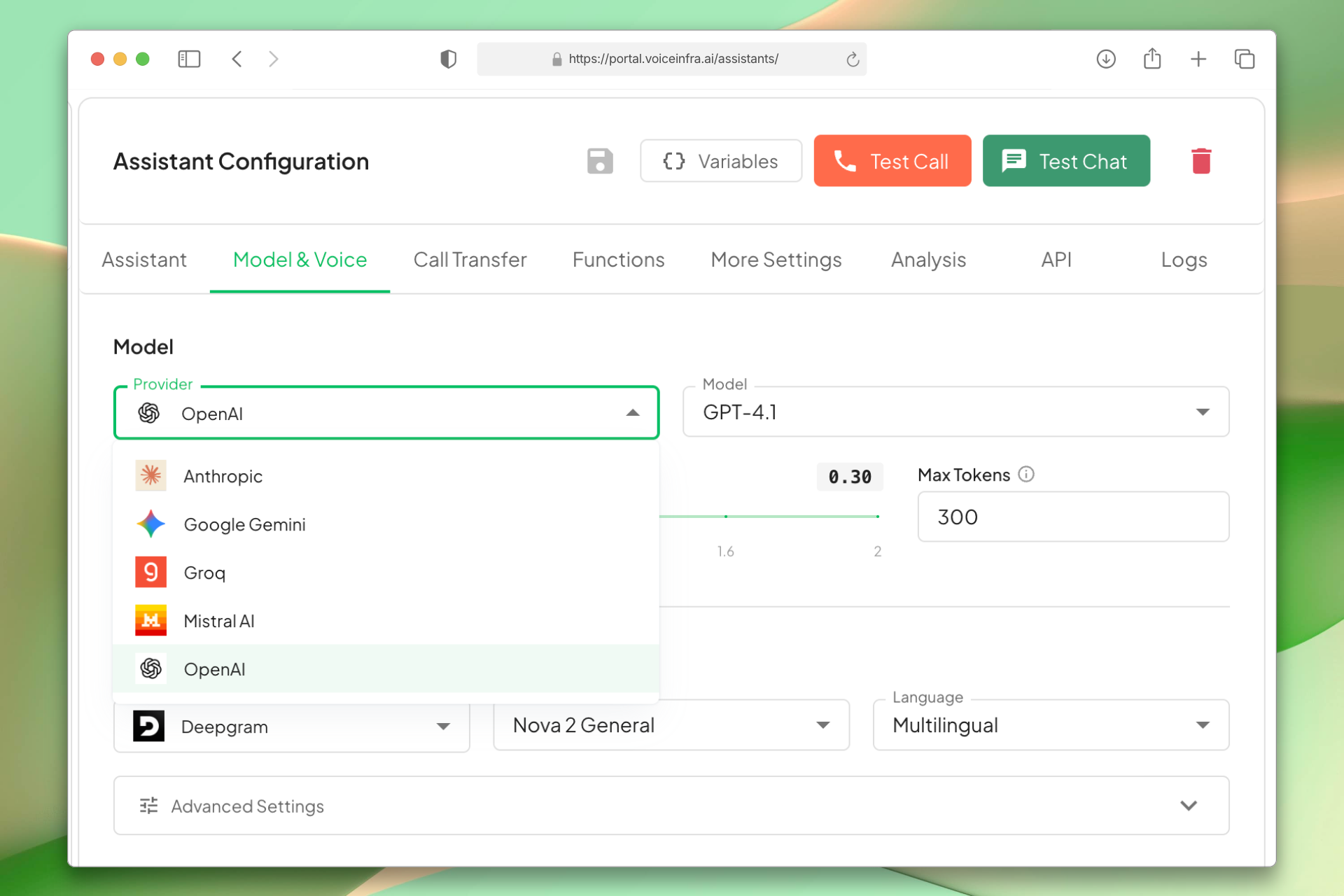
Connect 5 Leading AI Providers
Add Anthropic, OpenAI, Google Gemini, Groq, and Mistral AI to your account. Each provider is configured once and available across all your agents and workflows.
- Anthropic, OpenAI, Google Gemini, Groq, Mistral AI
- Multiple models per provider
- One-time API key setup
- Available across all agents
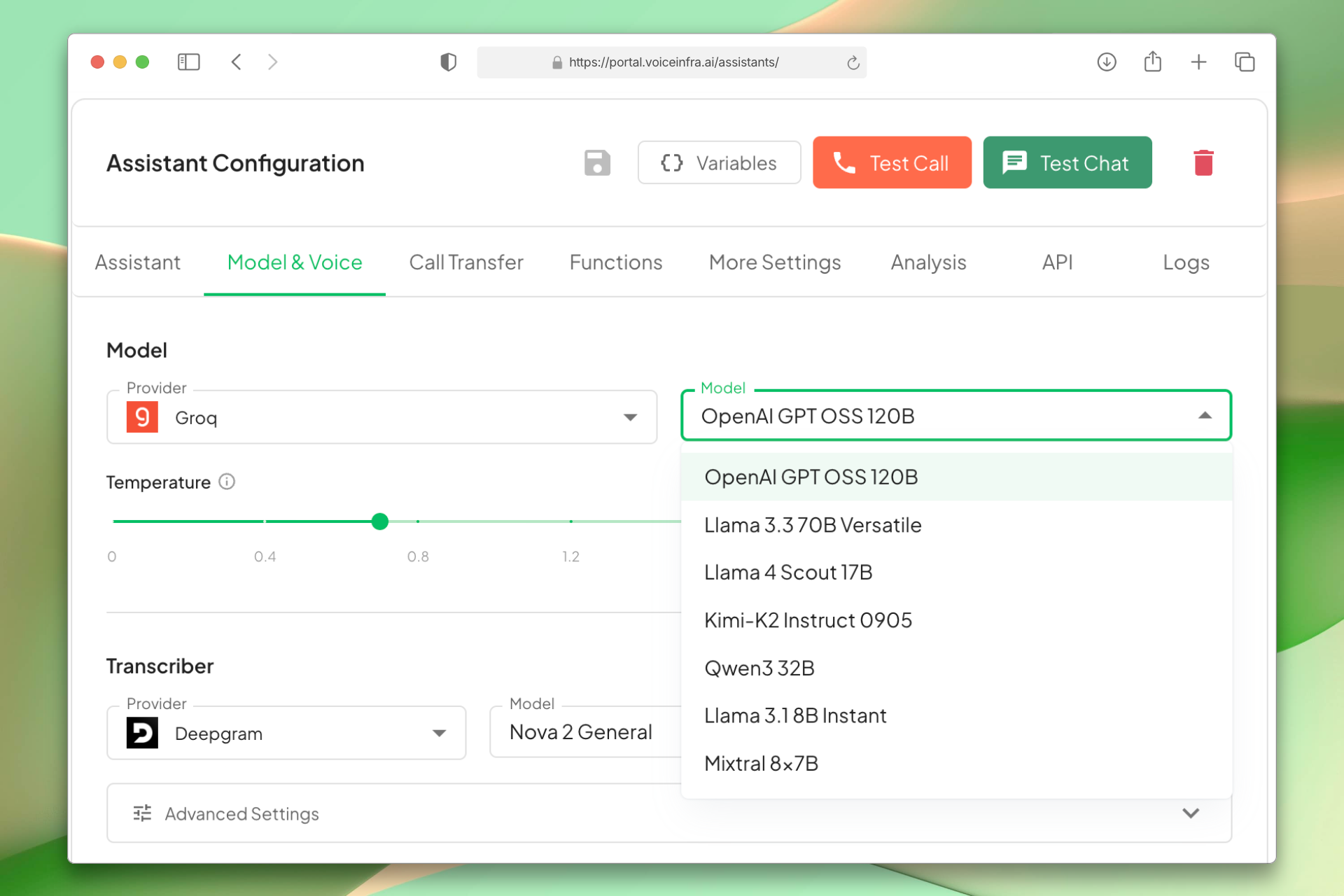
Smart Cost Routing
Not every call needs a premium model. Route simple FAQs and status checks to fast, affordable models. Send complex troubleshooting or sales conversations to advanced reasoning models. Pay only for what you use.
- Automatic model selection by call type
- Reduce costs on simple conversations
- Reserve premium models for complex calls
- Transparent per-call cost tracking
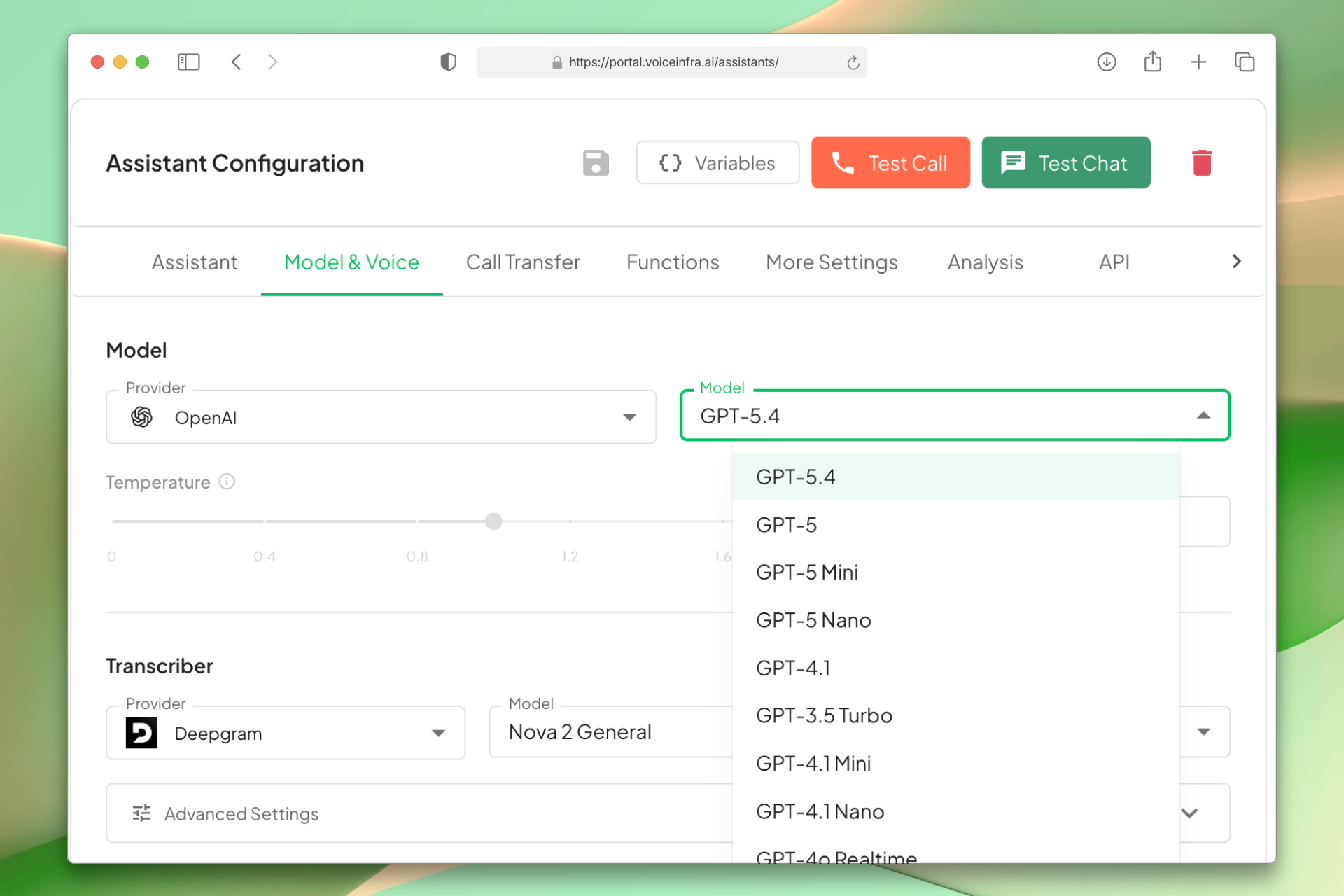
Performance-Based Model Matching
Match the model to the job. Use fast inference for quick responses, strong reasoning for detailed support, and conversational models for natural sales interactions. Switch anytime without rebuilding.
- Speed-optimized models for quick queries
- Advanced reasoning for complex issues
- Natural conversation models for sales
- Change models without rewriting workflows
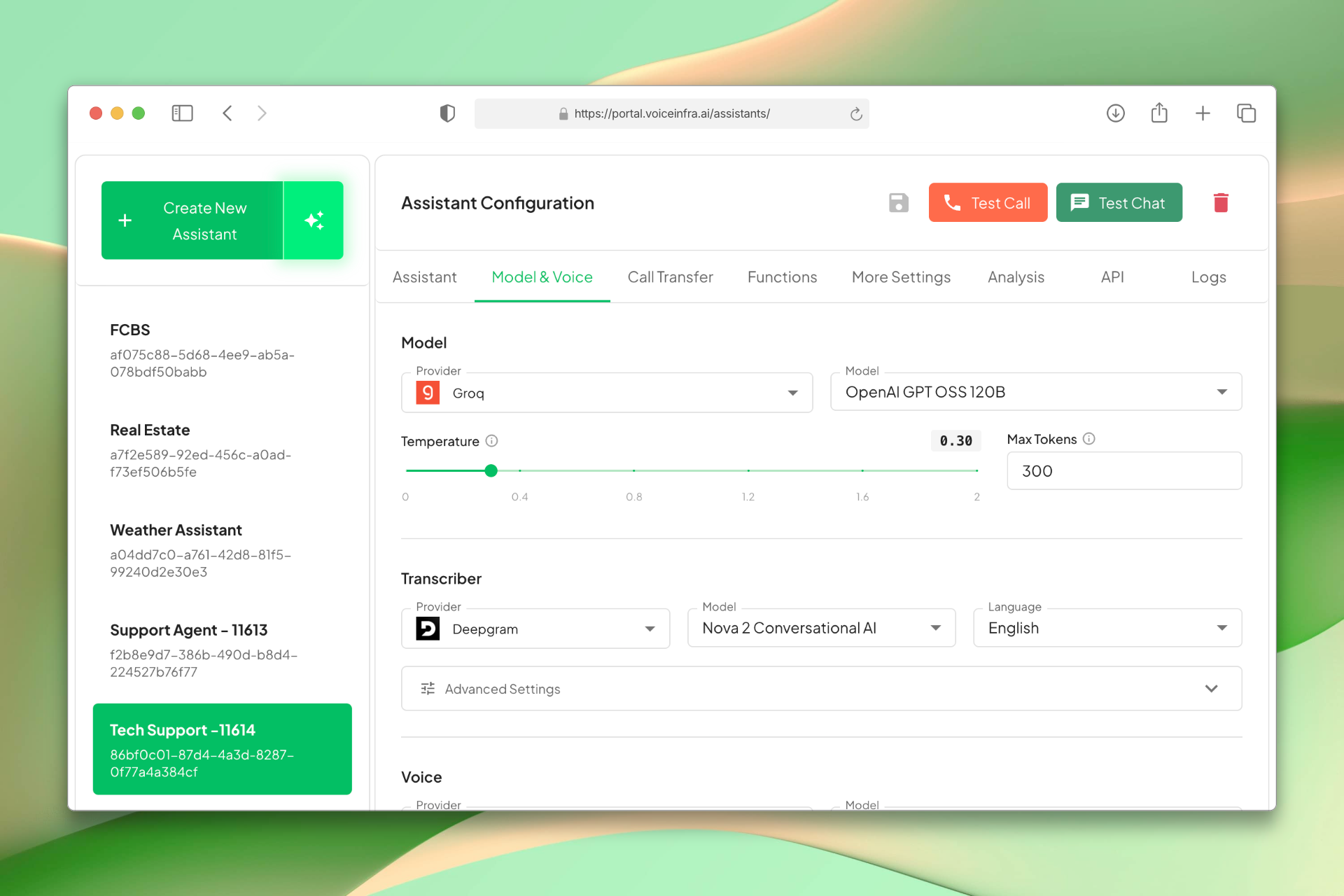
Zero Vendor Lock-In
Your agents stay intact while you swap providers. Test new models, switch to better pricing, or add fallback providers. Full flexibility, zero downtime, no rebuilds.
- Switch providers instantly
- Automatic fallback on downtime
- Test models side-by-side
- Access new AI releases immediately
Transform Your Business
Discover the measurable impact and advantages that drive real business growth
Reduce AI costs by routing simple calls to lighter models
Improve response quality on complex conversations with advanced reasoning models
Switch providers instantly without rebuilding agents or workflows
Test multiple models side-by-side to find what works best
Future-proof your setup as new AI models launch
Keep full control over costs, speed, and output quality
Run fallback models automatically if one provider has downtime
Scale efficiently across high-volume and high-stakes calls
Industry Solutions
Discover how this feature powers tailored solutions across industries
AI-Powered Contact Center Automation Build Custom Voice AI Agents
Build a Voice AI agent for your contact center. Reduce costs by 40-60% while delivering superior customer experience.
Explore SolutionAI Phone System for Multilingual Call Centers 24/7 Global Customer Support
Build a Voice AI agent for your multilingual call center. Handle support in 30+ languages around the clock.
Explore SolutionAI BPO Automation 24/7 Support, Tech & Back Office
Build a Voice AI agent for your BPO operations. Handle customer support, technical troubleshooting, back-office tasks, and sales campaigns around the clock.
Explore SolutionSee How Our Customers Use This
Real businesses getting real results with this feature. Read their stories.
How a Spanish Telecom Operator Runs 500+ Daily Outbound AI Calls on Yeastar with 5 Languages
A CNMC-registered Spanish telecom operator deployed 10 VoiceInfra AI agents on Yeastar PBX, running 500+ outbound calls daily with 30%+ transfer rate across Spanish, Arabic, English, French, and Portuguese
Read Success StoryHow a Telecom MSP Replaced Their Customer Service Team with VoiceInfra AI Agents
A US-India telecom MSP replaced their human customer service with VoiceInfra AI agents that handle new leads, troubleshoot issues, report incidents, and transfer callers to the right extension
Read Success StoryStill have questions about Multi-LLM Any AI Provider? Just ask.
The people who built this feature answer every question in plain English. Want to see it running on your own setup instead? Tick the box and we'll include a live demo.
- Answered by the people who built it
- Live demo on your setup, if you want one
- A reply within one business day
Technical Specifications
Enterprise-grade infrastructure built for reliability and scale
5 Providers
Anthropic, OpenAI, Google Gemini, Groq, Mistral AI
Cost Control
Route by complexity & budget
Auto-Fallback
Provider redundancy built-in
No Lock-In
Switch models anytime
Frequently Asked Questions
Find answers to common questions about this feature
Continue Exploring VoiceInfra
Discover more ways VoiceInfra can transform your voice AI experience
WhatsApp Chat & Messaging
Connect your WhatsApp Business number for automated text messaging. AI agents handle customer inquiries, qualify leads, and provide instant support through chat. Configure webhooks for real-time message delivery, manage multiple numbers, and use rich media to engage customers. Scale your WhatsApp chat support without adding staff.
Explore FeatureSIP Integration & Numbers
Manage your telephony infrastructure and AI routing in one place. Import existing numbers from Twilio or Telnyx, provision new SIP numbers directly, or configure custom SIP trunks for any provider. Set up inbound/outbound routing, secure authentication, transport protocols, and assign AI agents to handle calls automatically. No vendor lock-in, no rip-and-replace.
Explore FeatureWebsite Crawler
Your website contains answers to 80% of customer questions, but your team fumbles through browser tabs searching for information while customers wait. VoiceInfra's Website Crawler eliminates the scramble by automatically absorbing every FAQ, product spec, and policy page - making your AI agents instant experts on everything you've published online.
Explore FeatureReady to transform your operations?
Contact our sales team to see how the platform works for your industry.