Custom AI Voice Cloning
Create custom voice profiles with leading AI providers. Configure language and tone for natural interactions.
Centralize your voice cloning workflow in one dashboard. Create custom voice profiles, link them to provider accounts, configure language settings, and assign them directly to your AI assistants. No technical setup required.
What Makes This Feature Special
Discover the powerful capabilities that drive real business results
Centralized Voice Clone Library
View, filter, and manage all custom voice profiles in a single dashboard. Track name, ID, provider, language, and creation date for every clone.
Provider Integration
Seamless connection with ElevenLabs and Cartesia for voice generation and management. Provider-specific settings are automatically mapped and kept secure.
Detailed Clone Configuration
Each voice clone stores complete metadata including unique ID, language code, and optional descriptions for easy identification.
Direct Assistant Assignment
Link cloned voices directly to AI assistants during builder setup. Switch voices instantly without rebuilding agent configurations.
Get started with this feature in a few simple steps
Everything you need to transform your voice operations from start to finish
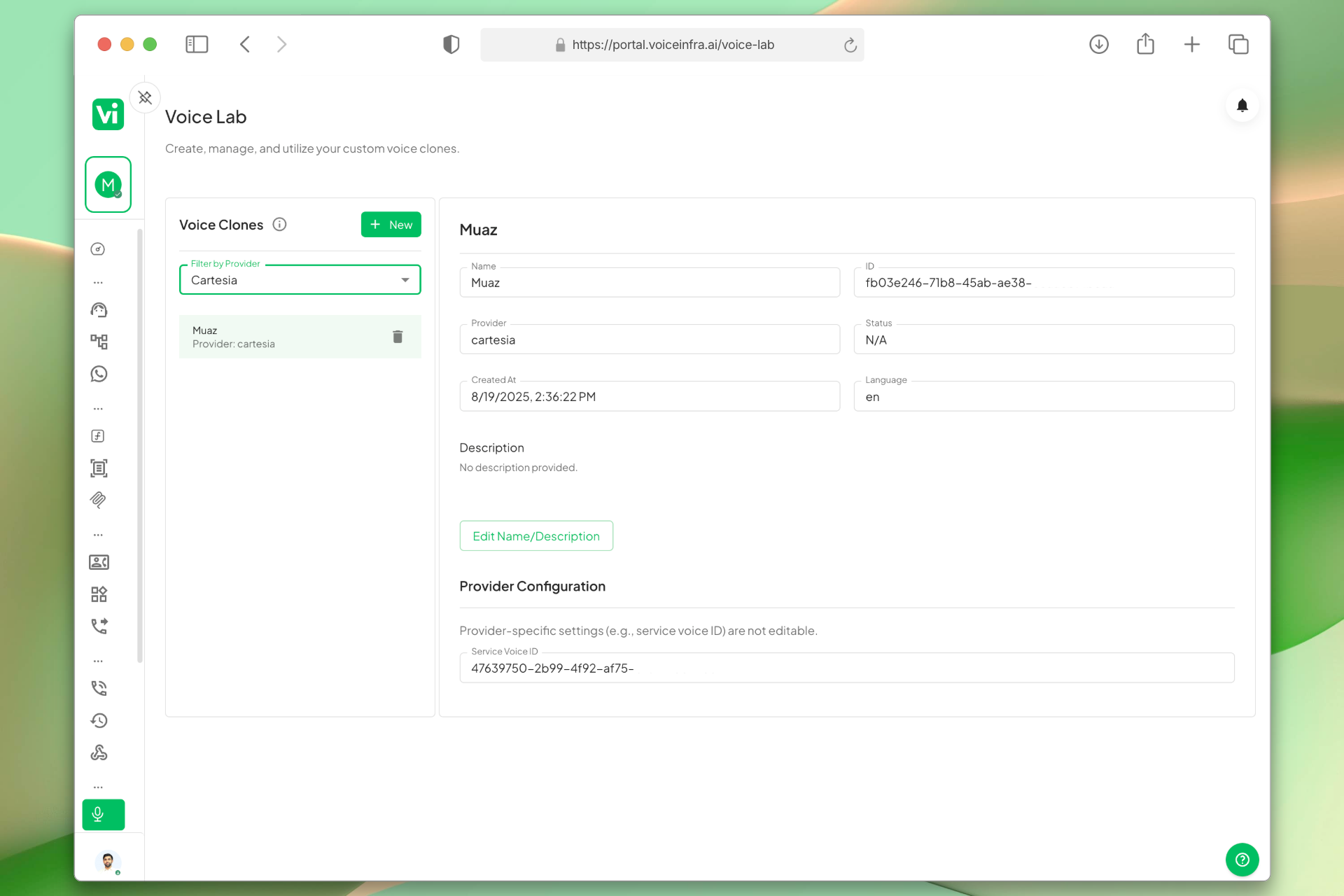
Voice Clones Dashboard
All your custom voice profiles in one place. The dashboard lists every clone with its name, unique ID, provider, language, and creation date. Click any entry to view or edit its full details inline.
- Centralized clone listing
- Provider-based filtering
- Inline detail and edit view
- Read-only service voice ID for safe provider mapping
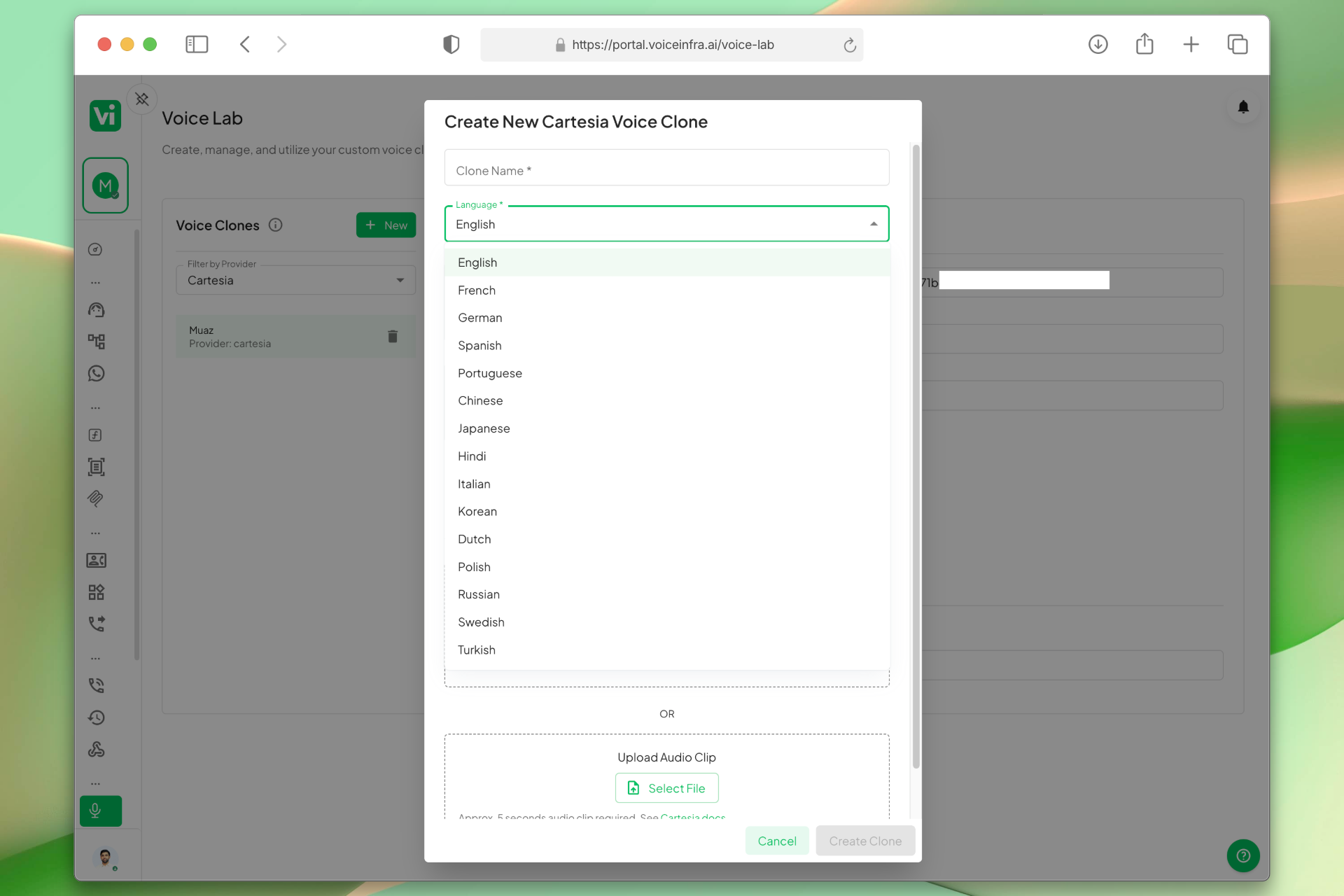
Language Configuration
Set the language for each voice clone during creation or edit. This controls how the voice behaves during live conversations and ensures it matches your target audience or regional market.
- Language selection per clone
- Regional voice matching
- Applied instantly to live conversations
- Updatable without rebuilding agents
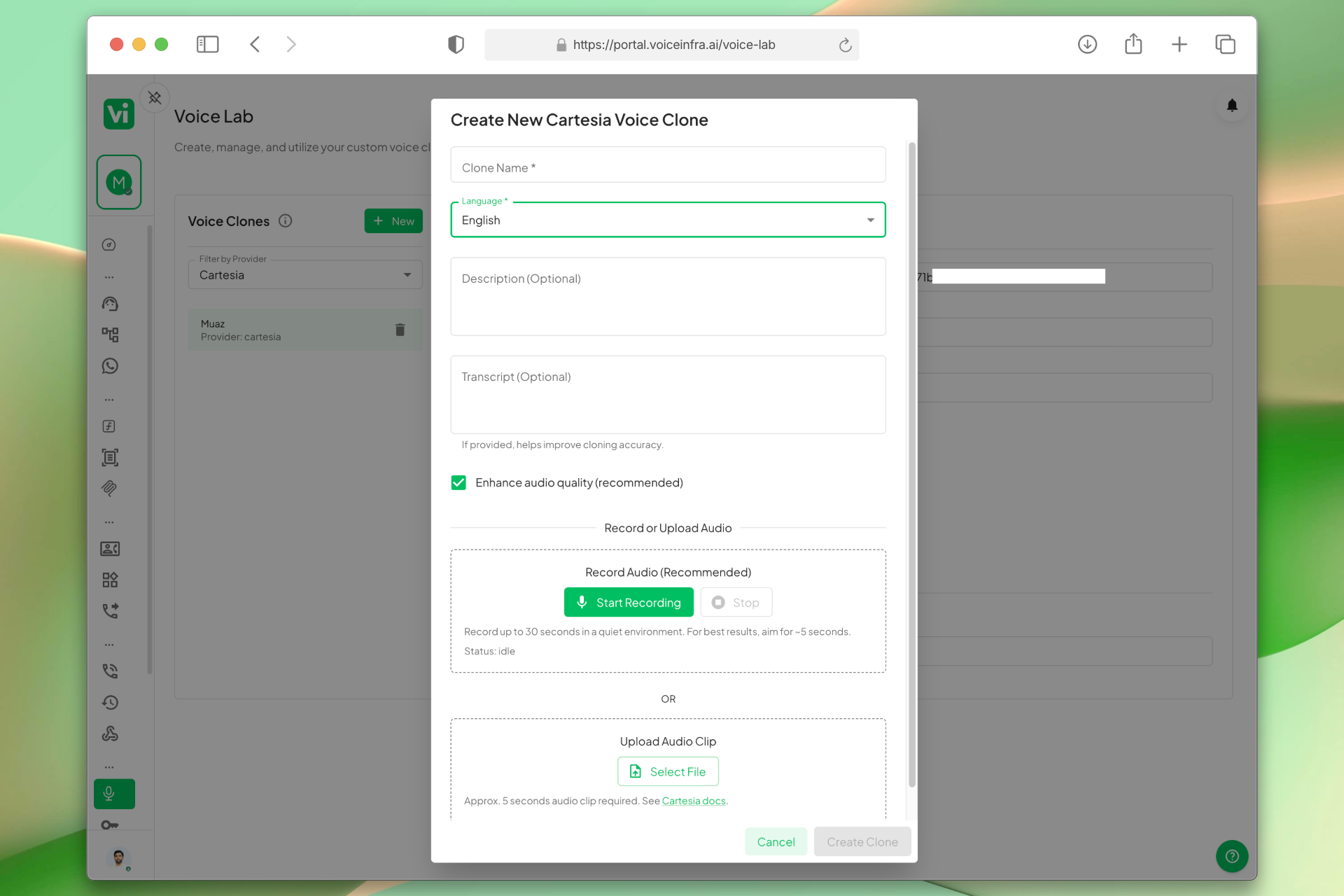
Voice Clone Creation Workflow
Add a new voice clone through a simple form. Enter a name, select the provider, set the language, add an optional description, and save. A unique ID is generated automatically and linked to the provider.
- Structured creation form
- Provider selection dropdown
- Automatic ID generation
- Instant save to library
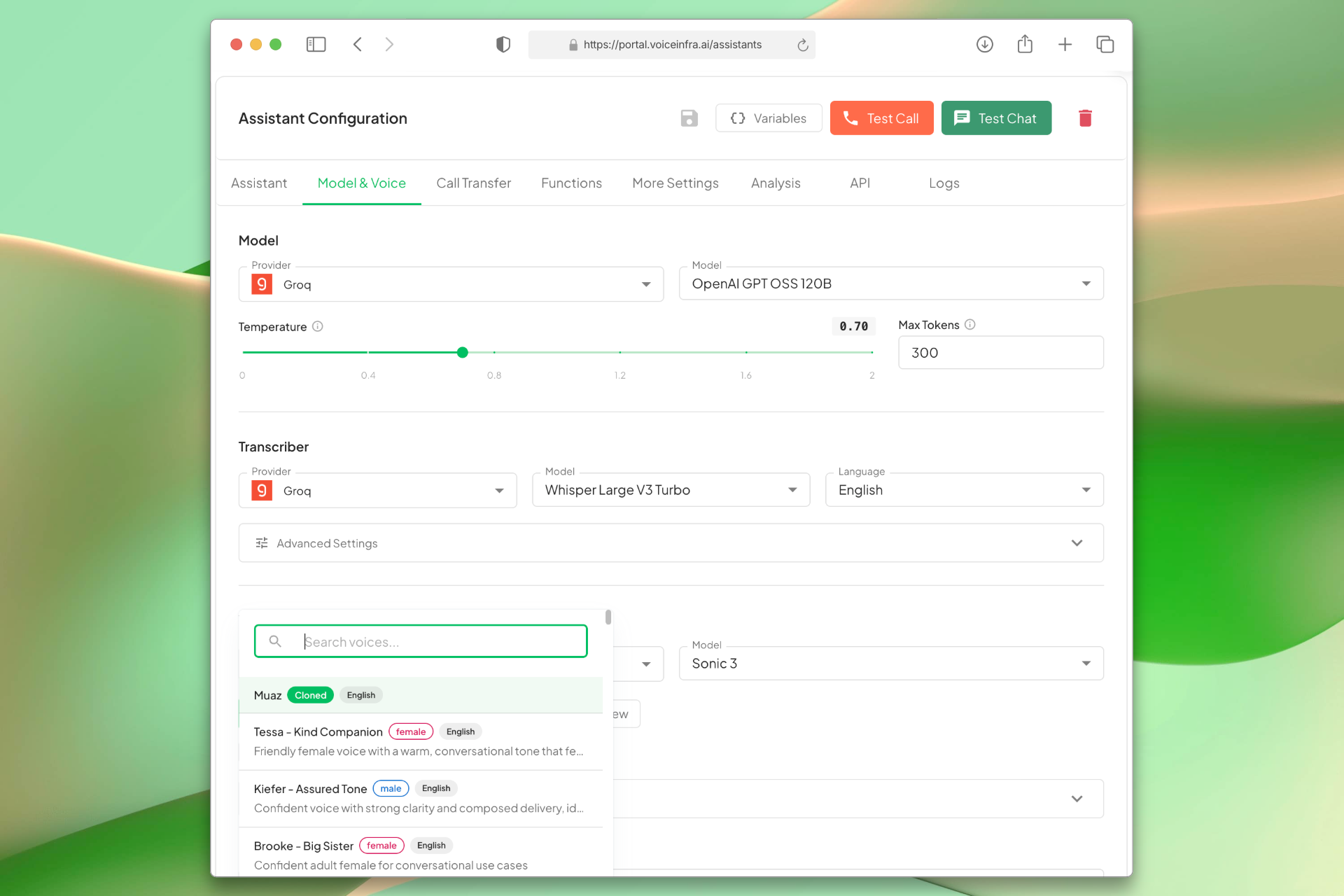
Assign Clones to AI Assistants
In the assistant builder, open the Model & Voice tab and select your cloned voice. The provider ID is pulled automatically, no manual configuration needed.
- Direct builder integration
- Automatic provider ID pull
- Instant voice assignment
- Switch voices without rebuilding the agent
Transform Your Business
Discover the measurable impact and advantages that drive real business growth
Maintain consistent brand voice across all AI assistants
Centralized management reduces configuration overhead
Automatic provider ID mapping eliminates manual setup errors
Language customization for targeted audience reach
Clear metadata tracking for easy identification and updates
Direct integration with assistant builder for immediate deployment
Industry Solutions
Discover how this feature powers tailored solutions across industries
AI-Powered Contact Center Automation Build Custom Voice AI Agents
Build a Voice AI agent for your contact center. Reduce costs by 40-60% while delivering superior customer experience.
Explore SolutionAI Phone System for Healthcare 24/7 Practice & Patient Support
Build a Voice AI agent for your healthcare practice. Handle appointments, insurance, prescriptions, and emergencies around the clock.
Explore SolutionAI Recruitment & Staffing Automation 24/7 Screening, Matching & Outreach
Build a Voice AI agent for your recruitment firm. Handle candidate screening, matching, and outreach campaigns around the clock.
Explore SolutionSee How Our Customers Use This
Real businesses getting real results with this feature. Read their stories.
How a Spanish Telecom Operator Runs 500+ Daily Outbound AI Calls on Yeastar with 5 Languages
A CNMC-registered Spanish telecom operator deployed 10 VoiceInfra AI agents on Yeastar PBX, running 500+ outbound calls daily with 30%+ transfer rate across Spanish, Arabic, English, French, and Portuguese
Read Success StoryHow an AI Automation Consultant in Cairo Replaced Missed Calls with a 24/7 Voice AI Agent
An independent AI automation consultant in Cairo connected a VoiceInfra phone number and deployed an AI voice agent that answers FAQs, qualifies leads, and books consultations
Read Success StoryStill have questions about Custom AI Voice Cloning? Just ask.
The people who built this feature answer every question in plain English. Want to see it running on your own setup instead? Tick the box and we'll include a live demo.
- Answered by the people who built it
- Live demo on your setup, if you want one
- A reply within one business day
Technical Specifications
Enterprise-grade infrastructure built for reliability and scale
Provider Support
ElevenLabs & Cartesia integration
Voice ID Mapping
Automatic service ID linking
Language Tags
ISO language code support
Metadata Tracking
ID, date & status
Frequently Asked Questions
Find answers to common questions about this feature
Continue Exploring VoiceInfra
Discover more ways VoiceInfra can transform your voice AI experience
Website AI Widget Voice & Chat
Embed a customizable AI widget on your website that handles voice calls and live chat conversations. Configure appearance, collect lead information through forms, and let your AI agent engage visitors 24/7, no coding required beyond a single script tag.
Explore FeatureIVR Detection Auto Navigation
Stop wasting time listening to automated phone menus. With IVR Detection enabled, your agent listens for keypad prompts and presses the right buttons automatically based on your instructions. It navigates complex menu structures on outbound calls to reach live agents or specific departments without manual dialing.
Explore FeatureDynamic Outbound Call API
Access your AI assistant via API to programmatically initiate outbound calls with dynamic payload customization. Leverage all configured settings while maintaining complete control over call parameters, recipient targeting, and conversation flow through our RESTful API interface.
Explore FeatureReady to transform your operations?
Contact our sales team to see how the platform works for your industry.