Your Nextiva phone system just became more powerful.
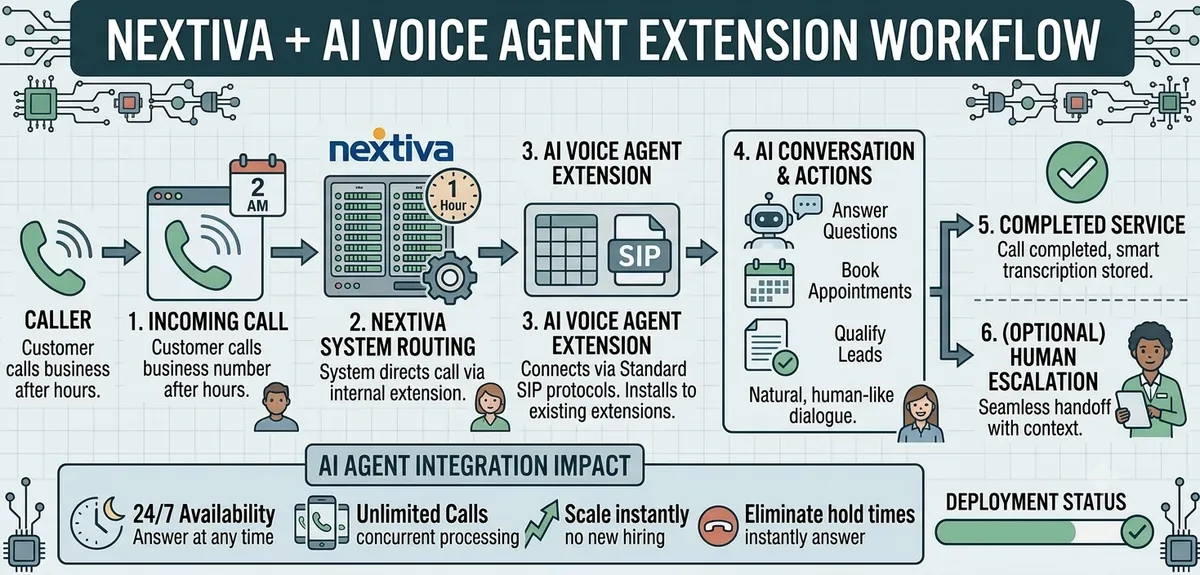
Imagine this: A customer calls your business number at 2 AM. Instead of going to voicemail, they're greeted by an intelligent AI voice agent that sounds completely human, answers their questions, books appointments, and even qualifies leads, all while your team sleeps.
Here's what most businesses don't realize: You don't need to replace your Nextiva system or buy new phone numbers. You can deploy AI voice agents directly to your existing extensions and start handling unlimited calls in under an hour.
The breakthrough: Modern voice AI platforms seamlessly integrate with Nextiva via standard SIP protocols, turning your business phone extensions into intelligent automation engines.
Why Deploy AI Voice Agents on Nextiva Extensions?
The Hidden Cost of Traditional Phone Systems
Direct Revenue Loss:
5.91% average call abandonment rate with hold times over 3 minutes (Global Contact Center data)
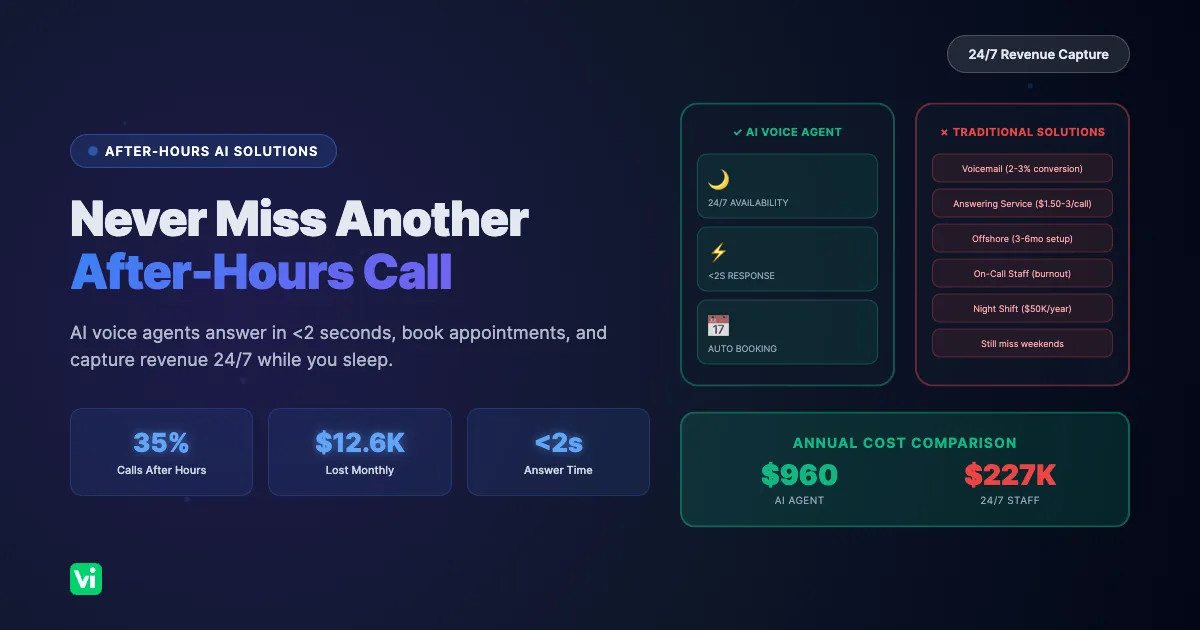
35% of business calls happen after hours, most going straight to voicemail
Each missed call represents $1,200 in lost revenue on average (industry research)
Competitors capture opportunities while your phones go unanswered
Operational Inefficiencies:
Staff productivity drain: Hours spent on repetitive questions
Inconsistent service quality: Variable performance depending on agent availability
Limited scalability: Can't handle sudden call spikes without hiring
Training overhead: New staff require weeks to become productive
The AI Voice Agent Advantage
24/7 Availability Without Overtime:
Answer every call instantly, even at 3 AM on holidays
Handle unlimited concurrent calls without additional staff
Maintain consistent service quality regardless of call volume
Eliminate hold times and call abandonment completely
Cost Efficiency:
40-65% reduction in customer support costs (industry benchmarks)
No hiring, training, or benefits expenses
Scale instantly without infrastructure changes
Pay only for actual usage, not idle time
Enhanced Customer Experience:
Less than a second response times for natural conversations
Perfect accuracy on pricing, policies, and product information
Seamless escalation to human agents with full context
Multi-language support for global customers
Understanding Nextiva Extension Integration
How Voice AI Connects to Nextiva
The Technical Process:
Incoming Call → Nextiva System → Extension Routing → AI Voice Agent → Smart Response
What Happens:
Call arrives at your Nextiva phone number
Extension routing directs specific calls to AI agent extensions
AI agent answers with natural, human-like conversation
Real-time processing handles inquiries, bookings, or escalations
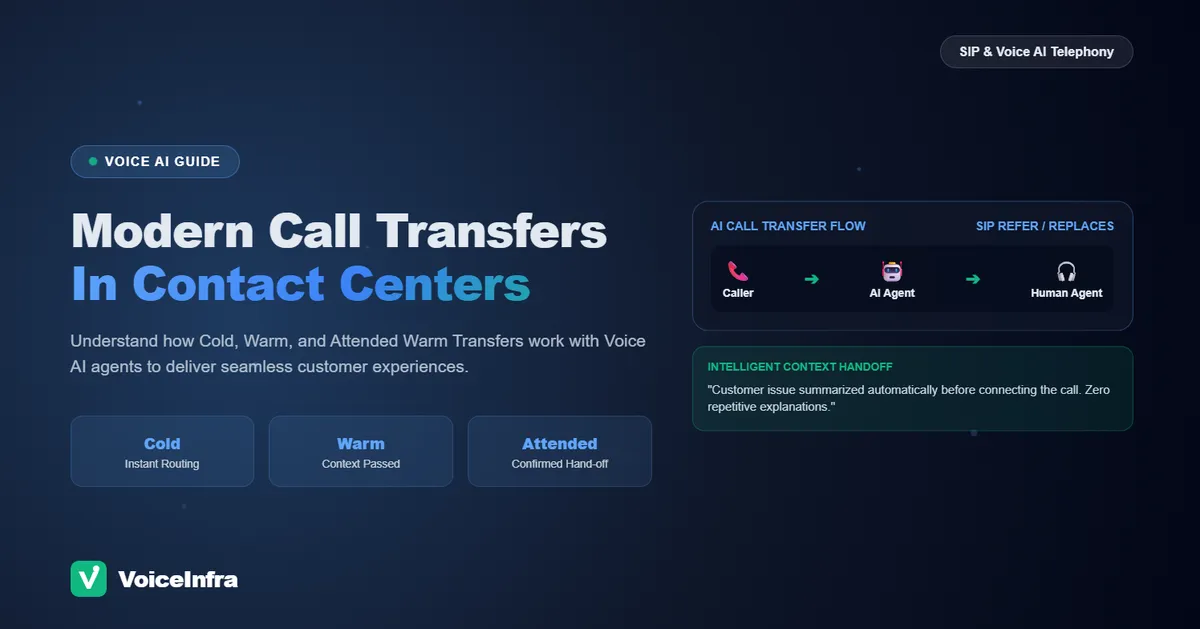
Seamless handoffs to human staff when needed, with complete context
Integration Requirements:
Active Nextiva business phone account
SIP-compatible voice AI platform (like VoiceInfra)
Available extension numbers for AI agent assignment
Admin access to Nextiva configuration
Internet connectivity for AI processing
Extension Assignment Strategies
Dedicated AI Extensions:
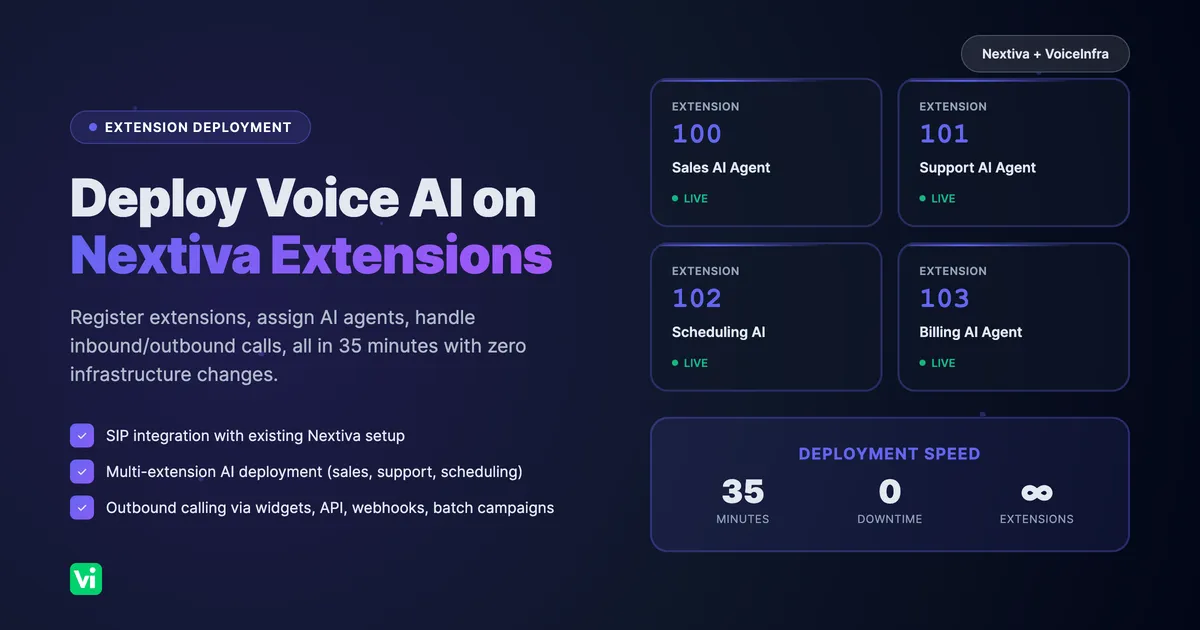
Assign specific extensions (e.g., ext. 100, 101) exclusively to AI agents
Create department-specific AI agents (sales, support, scheduling)
Hybrid Routing:
AI handles initial call screening and qualification
Configure transfers to human agents when needed
Step-by-Step: Deploying AI Agents on Nextiva Extensions
Phase 1: Voice AI Platform Setup (10 minutes)
1. Create Your VoiceInfra Account:
Sign up at voiceinfra.ai with your business email
Access the dashboard and navigate to "Assistants"
Click "Create New Assistant" to begin configuration
2. Configure Your AI Agent:
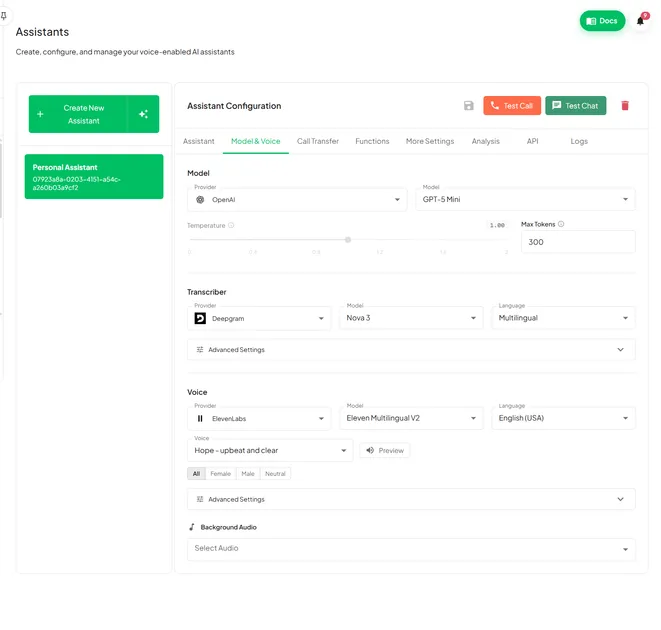
Choose AI Model: Select GPT Realtime (default) for optimal performance
Select Voice Provider: ElevenLabs for premium quality or Cartesia for ultra-low latency
Upload Business Information: Add your website URL for automatic knowledge ingestion
Set Personality: Define conversation style (professional, friendly, technical)
Configure Escalation Rules: Specify when to transfer to human agents
3. Define Agent Capabilities:
Appointment Scheduling: Connect calendar integration (Google Calendar, Outlook)
Lead Qualification: Set up custom questions and scoring criteria
Information Retrieval: Upload FAQs, pricing sheets, and policy documents
CRM Integration: Connect to Salesforce, HubSpot, or other platforms
Custom Functions: Add API integrations for real-time data access
Phase 2: Nextiva Extension Registration (15 minutes)
1. Access Extension Management:
Log in to your VoiceInfra dashboard
Navigate to the "Phone Numbers" section
Click "Add Extension" or "Register Extension"
2. Register Nextiva Extensions:
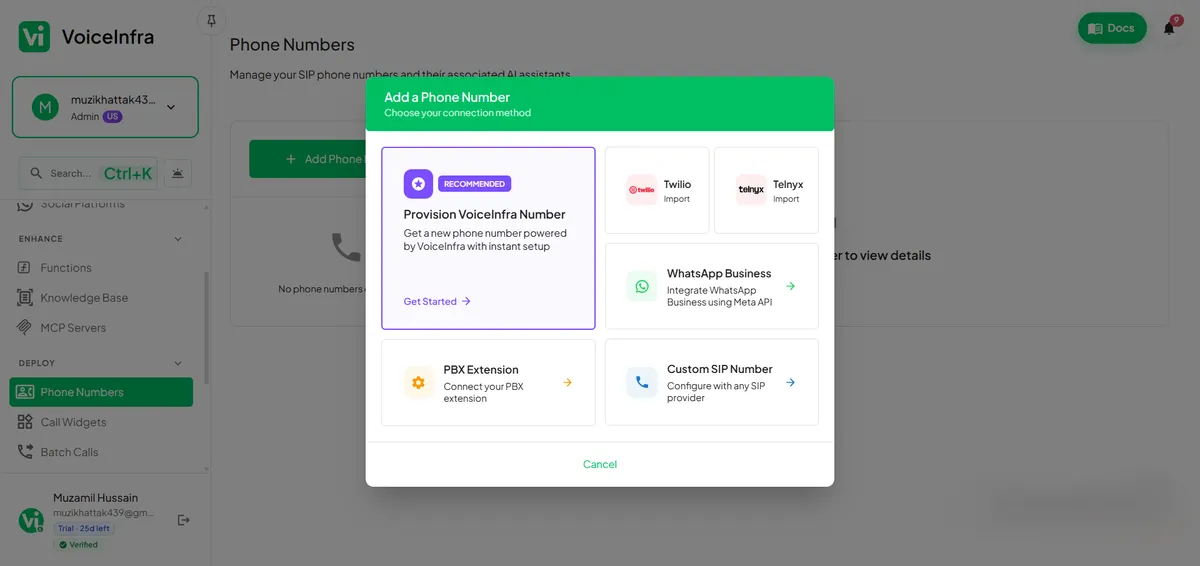
Enter Extension Number: Input your Nextiva extension (e.g., 100, 200, 300)
Extension Label: Add descriptive name ("Sales AI", "Support AI", "After-Hours")
SIP Configuration: VoiceInfra automatically configures SIP settings
Verify Registration: System confirms extension is ready for assignment
3. Assign AI Agents to Extensions:
Select the extension you just registered
Choose which AI agent should handle calls to this extension
4. Configure Advanced Settings:
Voicemail Detection: Enable automatic voicemail detection and disconnect
Call Recording: Turn on recording for compliance and quality assurance
Transfer Settings: Configure DTMF-based transfers to human agents
Phase 3: Testing & Go Live (10 minutes)
1. Test Call Routing:
Call your Nextiva number and dial the AI agent extension
Verify the AI answers promptly with a correct greeting
Test conversation flow with sample questions
Confirm escalation procedures work correctly
Check call quality and response latency
2. Verify Integration Points:
Calendar Booking: Test appointment scheduling end-to-end
CRM Updates: Confirm customer data syncs correctly
Transfer Functionality: Verify smooth handoffs to human agents
Multi-Extension Setup: Confirm each extension routes to the correct AI agent
3. Monitor Initial Performance:
Review call logs in the VoiceInfra dashboard
Check conversation transcripts for accuracy
Monitor sentiment scores and customer satisfaction
Identify any issues or optimization opportunities
Adjust AI prompts and routing rules as needed
Inbound Call Handling: Maximizing AI Agent Effectiveness
Intelligent Call Routing Strategies
Extension-Based Routing:
Sales Inquiries: Route to Sales AI extension for product information
Support Requests: Direct to Support AI extension for troubleshooting
Appointment Booking: Send to the Scheduling AI extension for calendar management
Smart Escalation:
VIP Customers: Immediate transfer to human agents with AI-provided context
Complex Issues: AI detects keywords and escalates with full conversation history
Lead Qualification: AI qualifies and scores before routing to the sales team
Optimizing AI Agent Performance
Conversation Design:
Clear opening and natural pacing
Active listening with confirmation
Empathy signals and smooth escalation
Knowledge Base:
Keep product information and pricing current
Ensure 80%+ FAQ coverage
Add multilingual support and industry terminology
Performance Monitoring:
Track call resolution rates and handle time
Measure customer satisfaction scores
Analyze escalation triggers and conversation quality
Outbound Calling: Multiple Deployment Methods
VoiceInfra provides four distinct methods for initiating outbound calls with your Nextiva-integrated AI agents:
1. Website Widget Integration
The Customer Experience: Visitors to your website see a voice-enabled widget that lets them instantly connect with an AI agent, no phone dialing required. They click, speak, and get immediate assistance.
Widget Setup Process:
1. Create a Widget in VoiceInfra:
Navigate to the "Widgets" section in the dashboard
Click "Create New Widget"
Select "Voice + Chat" mode for maximum flexibility
Choose an AI agent to handle widget calls
Customize appearance (colors, positioning, button text)
2. Configure Widget Settings:
Interaction Mode: Voice chat, call request, or combined
Lead Capture Form: Collect name, email, and phone before connecting
Custom Fields: Add industry-specific information fields
Branding: Match widget colors to your website design
Position: Bottom right, bottom left, or custom placement
3. Embed Widget Code:
<!-- VoiceInfra Widget Code -->
<script src="https://widget.voiceinfra.ai/v1/widget.js"></script>
<script>
  VoiceInfra.init({
    apiKey: 'your-api-key-here',
    agentId: 'your-agent-id',
    position: 'bottom-right',
    primaryColor: '#3758F9'
  });
</script>
2. Batch Call Campaigns
Use Cases:
Appointment reminders and follow-up calls
Lead nurturing and survey calls
Payment reminders
Setup:
Upload contact list via CSV
Assign AI agent and configure schedule (one-time or recurring: daily, weekly, monthly)
Set retry logic and monitor campaign progress in real-time
3. API-Triggered Calls
Use Cases:
Trigger calls from your CRM when lead status changes
Initiate calls from support tickets or helpdesk systems
Automated follow-up calls after form submissions or purchases
Implementation: Use VoiceInfra's REST API to initiate calls from your existing systems programmatically. Perfect for event-driven workflows and custom integrations.
4. Webhook-Based Automation
Use Cases:
Real-time call initiation based on external events
Integration with Zapier, Make.com, or custom automation platforms
Trigger calls from e-commerce platforms, booking systems, or databases
Setup: Configure webhooks to receive events from your systems and automatically initiate AI voice calls based on specific triggers or conditions.
Advanced Features & Capabilities
Multi-Language Support
Support 30+ languages with automatic detection, accent optimization, and cultural adaptation. Enable in AI agent settings, upload translated knowledge bases, and configure language-specific voice providers.
CRM Integration & Data Sync
Every call automatically logs in your CRM with full transcripts, contact updates, lead scoring, and workflow triggers. Supports Salesforce, HubSpot, Pipedrive, Zoho CRM, and custom APIs via webhooks.
Analytics & Reporting
Track call volume, duration, resolution rates, sentiment, and costs through a comprehensive dashboard. Identify peak times, optimize knowledge bases, and measure ROI from reduced staffing costs.
Frequently Asked Questions
Can I use my existing Nextiva phone numbers with AI voice agents?
Yes, absolutely. AI voice agents work with your existing Nextiva phone numbers and extensions. You don't need to purchase new numbers or change your current setup. Simply register your Nextiva extensions in VoiceInfra and assign AI agents to handle calls.
How long does it take to deploy AI agents on Nextiva extensions?
Most deployments complete in 30-45 minutes with no downtime. Your existing phone service continues operating normally during setup.
What happens when the AI can't answer a customer's question?
The AI seamlessly transfers calls to available human staff with complete conversation context. The person receiving the transfer gets the full transcript, customer details, and the specific reason for escalation. Customers never need to repeat their information or start over.
Can I assign different AI agents to different Nextiva extensions?
Yes, create multiple AI agents with specialized knowledge for different extensions. Each agent can have unique capabilities, knowledge bases, and conversation styles.
How much does it cost to add AI voice agents to Nextiva extensions?
VoiceInfra pricing starts at $0 with pay-as-you-go billing. You pay only for actual usage with no upfront costs or long-term contracts. The platform fee is $0.05 per minute, plus AI model and voice synthesis costs. Most businesses see 40-65% cost reduction compared to hiring additional staff.
Can customers tell they're speaking with an AI agent?
Modern AI voice agents sound remarkably natural, with response times of less than a second and human-like conversation patterns. Most customers don't initially realize they're speaking with AI.
What types of calls work best for AI voice agents on Nextiva?
AI agents excel at routine inquiries like appointment scheduling, pricing questions, service area verification, basic troubleshooting, lead qualification, and information requests. Complex technical issues, emotional situations, and high-value sales negotiations typically transfer to human specialists with full context.
How can I initiate outbound calls with AI agents?
VoiceInfra supports four outbound calling methods: (1) Website widgets for visitor-initiated calls, (2) Batch campaigns with CSV contact lists, (3) API-triggered calls from your CRM or systems, and (4) Webhook-based automation for event-driven calling.
How do I monitor the performance of an AI agent on my Nextiva extensions?
VoiceInfra provides a comprehensive dashboard with real-time metrics, including call volume, duration, resolution rates, sentiment scores, and transcripts. Track performance by extension, agent, and time period.
What if I need to make changes to my AI agent after deployment?
Update your AI agent configuration at any time through the VoiceInfra dashboard. Changes take effect immediately without disrupting active calls.
The Future of Business Phone Systems
The businesses that thrive aren't replacing their phone infrastructure; they're enhancing it with intelligent automation.
Your Nextiva system doesn't need to be replaced. It needs intelligence.
AI voice agents transform your existing phone extensions from simple call routing into intelligent customer engagement engines. Keep your investment, eliminate limitations, and capture opportunities your competitors miss.
Ready to deploy AI voice agents on your Nextiva extensions?
Get started in 30 minutes:https://voiceinfra.ai/sales
VoiceInfra integrates seamlessly with Nextiva business phone systems through standard SIP protocols. Deploy AI voice agents to existing extensions for inbound call handling, initiate outbound calls via website widgets, API triggers, webhooks, or batch campaigns, and transform your phone system into an intelligent automation platform, all without replacing your current infrastructure.