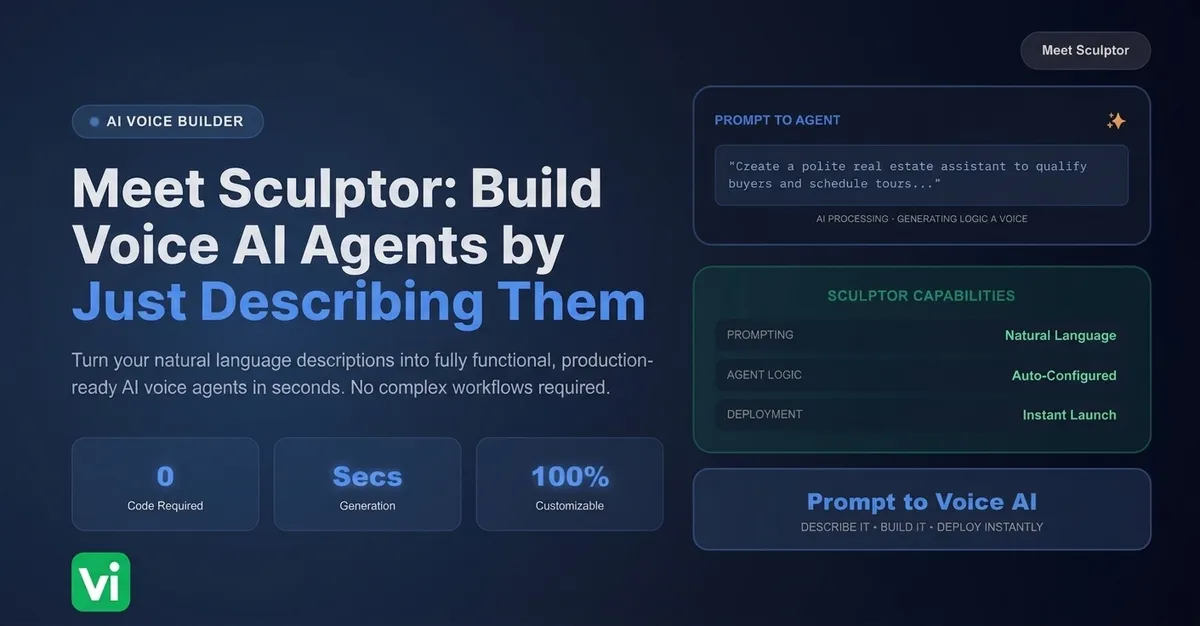
Most people who need a voice AI agent don't want to learn a builder. They want to say what they need and have it exist. That gap, between "I need a receptionist that books appointments" and actually clicking through nodes, functions, and knowledge base uploads, is exactly what Sculptor closes.
Sculptor is a new way to build inside the VoiceInfra portal. You describe what you want in plain English, and it sets it up for you, no drag and drop required, no need to know what a "node" or a "webhook" even is.
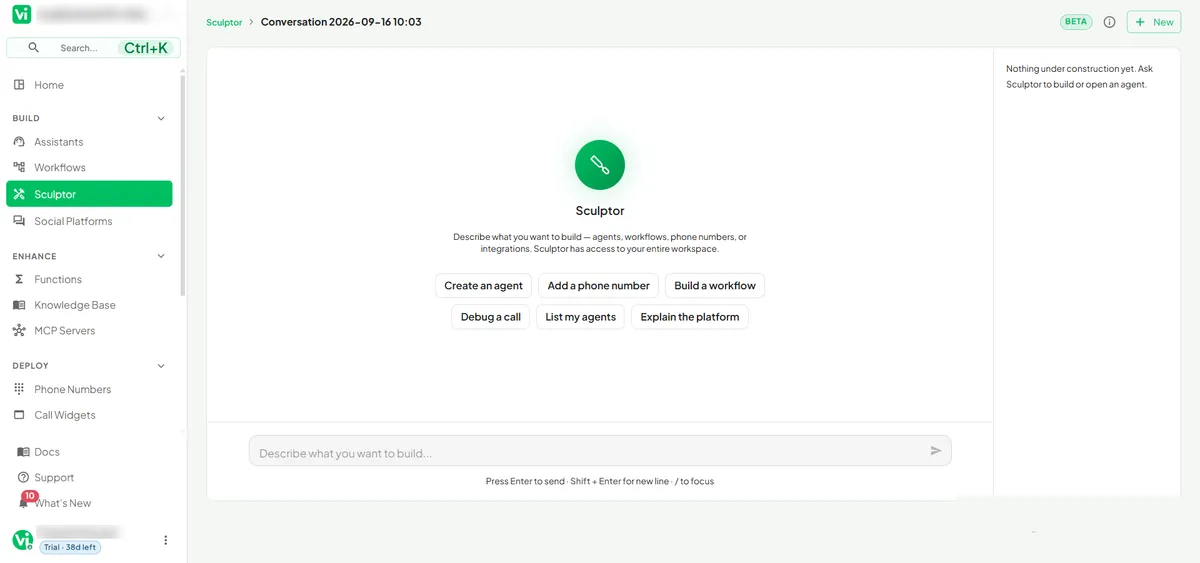
Open it up and it doesn't leave you staring at a blank box either. Sculptor greets you with a set of quick-start prompts, create an agent, add a phone number, build a workflow, debug a call, list my agents, explain the platform, so even a first-time user knows exactly what to type.
What Sculptor actually does
Type something like "set up a receptionist" or "add a pizza ordering assistant," and Sculptor gets to work. Depending on what you asked for, it can create:
A new assistant, configured with the right behavior for the task
A workflow, with the logic and routing already mapped out
Functions, the API calls your agent needs to actually do things (check a calendar, place an order, pull a record)
A knowledge base, so the agent has the information it needs to answer questions correctly
You're not filling out five separate screens to get there. You're describing the outcome, and Sculptor is doing the configuration work underneath it.
Nothing changes without your say-so
The part that matters most for anyone who has been burned by an "autonomous" tool before: Sculptor never applies a change silently. Every single thing it proposes shows up as a clear before and after, so you can see exactly what's changing and why, and nothing goes live until you approve it.
That's a meaningful design choice. It means Sculptor can move fast without asking you to hand over trust you haven't earned yet. You stay the one making the call.
You can see exactly what it did
When Sculptor makes a tool call, whether that's creating a function or updating a workflow, it doesn't just dump raw technical output at you. It reports the action as a plain, readable card, in language a non-developer can actually parse. And if something isn't right, you can undo it.
Take a real example: ask Sculptor to build a pizza ordering assistant, and it works through the build step by step, right in the conversation. It creates the agent, then proposes a workflow save. That workflow change is flagged "Approval needed" before it touches anything live, and once you're done, Sculptor gives you a plain-English summary of exactly what it created and what's still pending your review.
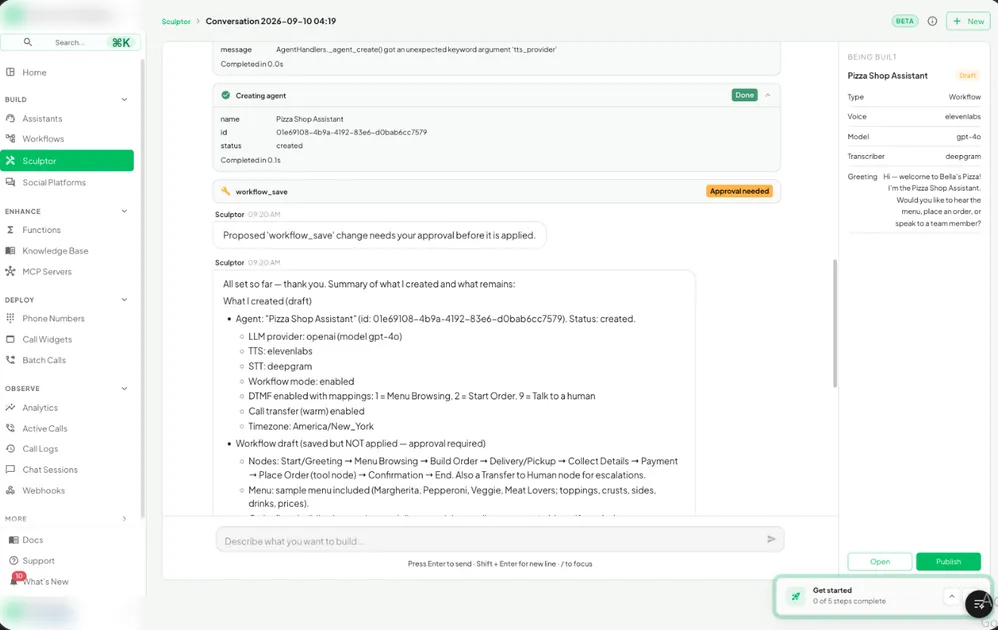
While it works, a live "Being Built" panel on the side keeps a running summary, workflow type, voice, model, transcriber, greeting script, updating as the conversation progresses. You're never guessing what Sculptor has actually set up so far.
| Without Sculptor | With Sculptor |
|---|---|
| Manually configure assistants, workflows, and functions node by node | Describe what you want in plain English |
| Read raw logs or JSON to understand what changed | See plain-language cards for every action taken |
| Apply changes directly and hope they're correct | Review a before/after preview, then approve or reject |
| No easy way back if something's wrong | Undo any change Sculptor made |
t keeps an eye on your usage for you
Sculptor tracks your monthly usage allowance as you go, so you're never left guessing how much you have left mid-build. It's a small thing, but it's the difference between building with confidence and building with one eye on a bill you can't see yet.
Two ways to reach it
Sculptor lives wherever you're working. Pull it up as a docked panel that follows you around the portal for quick edits while you're deep in something else, or open it full screen as its own dedicated workspace when you're starting something from scratch and want the room to think it through.
Why this matters
Voice AI has a real setup tax. Every assistant needs the right prompt, the right functions, the right knowledge behind it, and getting that right usually means understanding the platform's internals before you can build anything useful. Sculptor is VoiceInfra's answer to that tax: describe the outcome, review the proposed change, approve it, done.
It's still marked BETA while the team keeps improving it, and that label is honest rather than a formality. Expect it to keep getting sharper at understanding intent and handling more complex builds over time.
FAQs
Do I need to know how to code to use Sculptor?
No. Sculptor is built for plain English input. You describe the outcome you want, and it handles the underlying configuration, including functions that would normally require some technical setup.
What if I don't know what to type when I first open Sculptor?
You don't need a script ready. Sculptor's start screen offers quick-start prompts, create an agent, add a phone number, build a workflow, debug a call, list my agents, explain the platform, so you can just click one and go from there.
Can Sculptor make changes without my approval?
No. Every proposed change is shown to you as a before/after preview first. Nothing is applied to your live setup until you approve it.
What can Sculptor actually build?
Assistants, workflows, functions, and knowledge bases, depending on what you ask for. A request like "add a pizza ordering assistant" can touch all four at once.
What happens if Sculptor makes a mistake or I change my mind?
You can undo any change it made. Tool calls are logged as plain, readable cards, so you can see exactly what happened and reverse it.
Does using Sculptor count against my regular usage?
Sculptor tracks your monthly usage allowance as you build, so you always know how much you have left. It shows this to you directly rather than leaving you to check separately.
Where do I find Sculptor in the portal?
It's available as a docked panel that follows you around the app for quick edits, or you can open it full screen as its own workspace for larger builds.
How do I know what Sculptor has built so far while I'm still chatting with it?
The full-screen workspace shows a live "Being Built" summary next to the conversation, tracking things like the agent type, voice, model, and greeting as they're set. You don't have to wait until the end to see what's taking shape.
Is Sculptor ready for production use?
Sculptor is currently in BETA. It's fully usable today, and the team is actively refining it based on how people build with it.
Final thoughts
Sculptor doesn't try to replace your judgment, it removes the setup tax that used to stand between an idea and a working voice agent. You still decide what gets built and you still approve every change before it goes live. What changes is how much platform knowledge you need before you can start.
If your team has been putting off building a receptionist, an ordering assistant, or a support agent because the setup felt like a project of its own, Sculptor is built for exactly that moment. Describe it, review it, approve it.
Ready to build your first agent with Sculptor? Get started with VoiceInfra