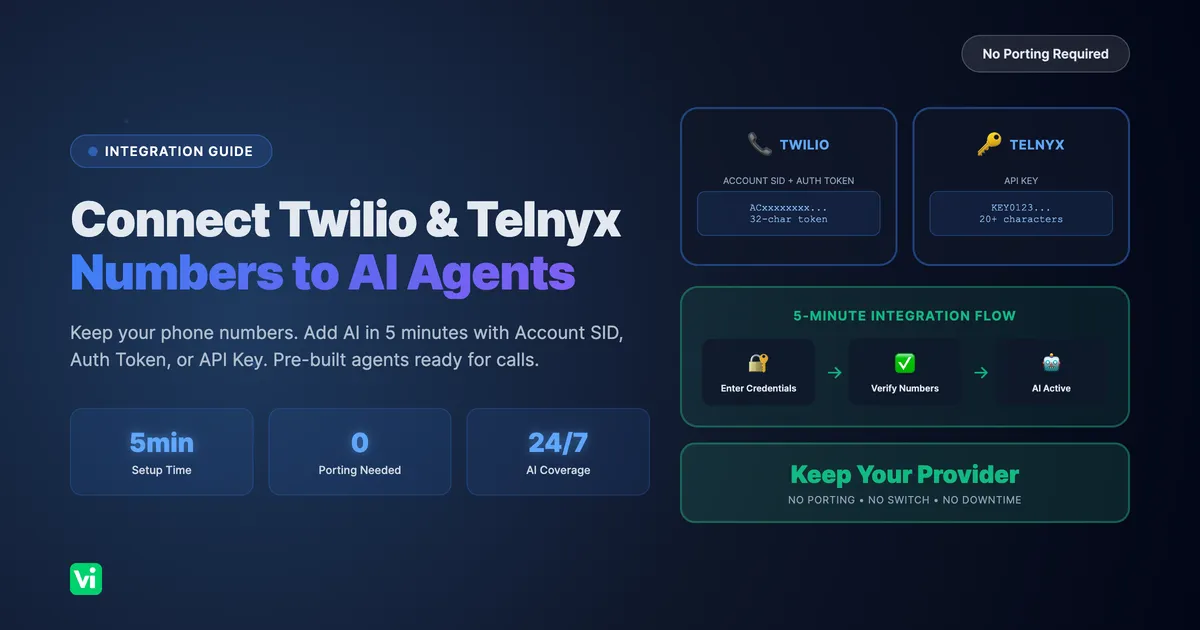
Want AI to answer calls on your Twilio or Telnyx number? VoiceInfra connects to your existing phone numbers in minutes and provides ready-to-use AI voice agents. No porting, no provider switch, no complex Voice AI configuration required.
Key takeaway: VoiceInfra integrates with Twilio (Account SID + Auth Token) or Telnyx (API Key) credentials. Keep your current phone numbers and provider. Get pre-built AI agents that handle inbound and outbound calls immediately.
What You Get with VoiceInfra Integration
Pre-Built AI Voice Agents for Phone Calls
VoiceInfra provides AI agents ready to handle your phone calls from day one:
24/7 inbound call answering - AI never misses a call
Automated outbound calling - AI makes reminders, follow-ups, and outreach calls
Natural conversations - AI understands context and responds intelligently
Knowledge base powered - Upload documents, AI uses them in real conversations
Multi-language support - Handle calls in multiple languages
Simple Credential-Based Integration
Connect phone numbers without technical complexity:
Twilio integration - Enter Account SID and Auth Token
Telnyx integration - Enter API Key
Automatic SIP trunk setup - Inbound and outbound routing configured for you
No Voice AI builder - Skip complex flow configuration and model selection
5-minute setup - Import wizard handles everything automatically
Unified Call Management Dashboard
Manage all connected numbers from one place:
Multi-provider support - Twilio and Telnyx numbers in a single dashboard
Call logs and transcripts - View every conversation
Call recordings - Listen back to any call
AI agent assignment - Different agents for different numbers
Real-time analytics - Monitor call volume, duration, outcomes
How VoiceInfra Integrates with Twilio and Telnyx
Integration Architecture
The Integration Process Explained
Step 1: API Credential Connection
You provide Twilio Account SID + Auth Token, or Telnyx API Key
VoiceInfra validates credentials with the provider API
Secure, encrypted credential storage
Step 2: Phone Number Verification
Specify which numbers to connect
VoiceInfra confirms you own these numbers
E.164 format validation (+1234567890)
Step 3: SIP Trunk Configuration
Inbound trunk: Routes incoming calls to AI agents
Outbound trunk: Enables AI to make calls
Authentication credentials are configured automatically
Step 4: AI Agent Assignment
Connect phone numbers to AI assistants
Configure inbound vs outbound capabilities
Set knowledge base references
Step 5: Ready for Calls
AI agents are active immediately
Test calls to verify configuration
Monitor through the dashboard
What Stays with Your Provider
| Component | Provider (Twilio/Telnyx) |
|---|---|
| Phone number ownership | ✅ |
| Network infrastructure | ✅ |
| Call routing backbone | ✅ |
| Regulatory compliance | ✅ |
| Base phone service billing | ✅ |
What VoiceInfra Provides
| Component | VoiceInfra |
|---|---|
| AI voice agents | ✅ |
| Knowledge base | ✅ |
| Call transcripts | ✅ |
| Call recordings | ✅ |
| Management dashboard | ✅ |
| Widget integration | ✅ |
| Batch calling | ✅ |
Required Credentials for Integration
Twilio Credentials: Account SID and Auth Token
What you need:
Account SID - 34 characters, starts with "AC"
Auth Token - 32 characters
Phone numbers - List of Twilio numbers to connect
Where to find Twilio Account SID:
Log in to Twilio Console
Dashboard displays Account SID prominently
Looks like:
AC1234567890abcdef1234567890abcdefCopy to clipboard for import wizard
Where to find Twilio Auth Token:
Navigate to Settings → General in Console
Click "Show" to reveal Auth Token
Looks like: 32-character alphanumeric string
Copy to clipboard (case-sensitive)
Twilio credential format:
✅ Valid Account SID: AC1234567890abcdef1234567890abcdef
   - Starts with "AC"
   - 34 characters total
✅ Valid Auth Token: a1b2c3d4e5f6g7h8i9j0k1l2m3n4o5p6
   - Exactly 32 characters
   - No prefix required
Telnyx Credentials: API Key
What you need:
API Key - 20+ characters, starts with "KEY"
Phone numbers - List of Telnyx numbers to connect
Where to find Telnyx API Key:
Log in to Telnyx Mission Control Portal
Navigate to "API Keys" in the left menu
Click "Create API Key" or copy the existing key
Ensure the key has "Phone Number" permissions enabled
Telnyx credential format:
✅ Valid API Key: KEY01234567890abcdef1234
   - Starts with "KEY" prefix
   - Minimum 20 characters total
Step-by-Step Integration Guide
How to Connect Twilio Phone Numbers
Estimated time: 5-10 minutes
Step 1: Access Import Wizard
Log in to the VoiceInfra dashboard
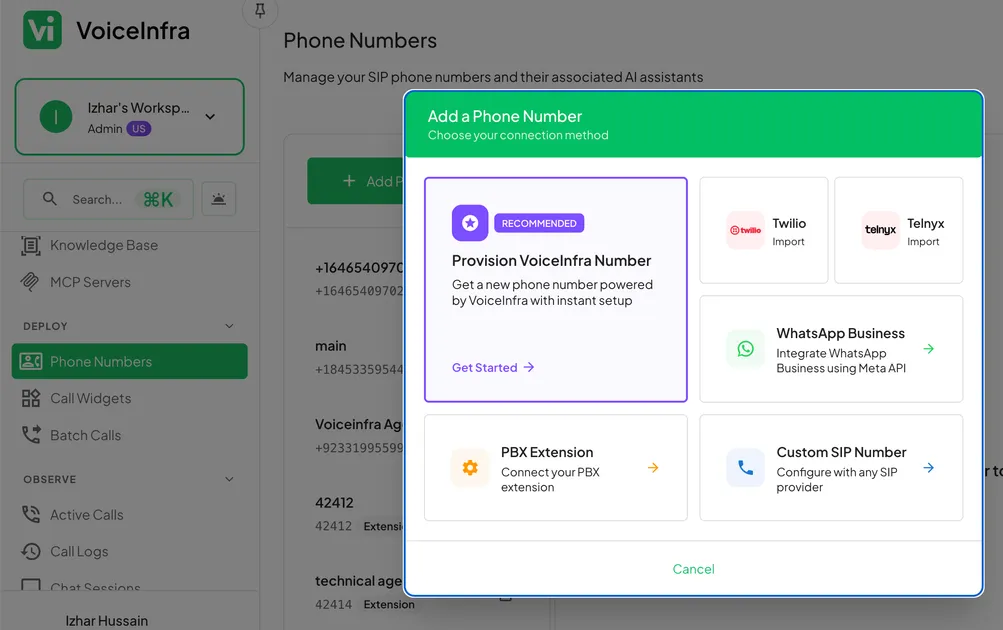
Navigate to "Phone Numbers" in the sidebar
Click the "Import Numbers" button
Select "Twilio" as provider type
Step 2: Enter Twilio Credentials
Account SID: ACxxxxxxxxxxxxxxxxxxxxxxxxxxxxxxxx
Auth Token: [your 32-character token]
Format validated in real-time
Toggle eye icon to verify entered values
Helper text shows expected format
Error messages guide corrections
Step 3: Add Phone Numbers to Import
Enter numbers in E.164 format:
+1234567890Use the country selector for international format assistance
Click "Add" to include each number
Numbers appear as removable chips
Batch import unlimited numbers
Step 4: Validate and Complete Import
Click "Import" to begin validation
VoiceInfra verifies credentials with the Twilio API
Confirms number ownership
Configures SIP trunks automatically
Displays success/failure for each number
Import Complete: Your Twilio numbers are now connected to VoiceInfra AI agents
How to Connect Telnyx Phone Numbers
Estimated time: 3-5 minutes
Step 1: Select Telnyx Provider
Navigate to "Phone Numbers" → "Import Numbers."
Choose "Telnyx" from the provider options
Step 2: Enter Telnyx API Key
API Key: KEY01234567890abcdef...Password-style input field (hidden by default)
Minimum 20-character validation
Toggle visibility to verify
Helper text shows the KEY prefix requirement
Step 3: Specify Phone Numbers
Input Telnyx numbers in E.164 format
Country dropdown for format help
Add multiple numbers for batch import
Review the list before submission
Step 4: Execute Import
Click "Import" to validate and connect
API Key verified with Telnyx API
Number ownership confirmed
SIP configuration applied automatically
Results displayed with status per number
Import Complete: Your Telnyx numbers are ready for AI agent assignment
Post-Integration Configuration
Assign AI Agents to Phone Numbers
Inbound Assistant Configuration:
Select phone number from the dashboard
Choose an AI agent from the dropdown
Configure agent behavior and prompts
Test with inbound call
Outbound Assistant Configuration:
Enable outbound calling capability
Select an AI agent for outbound calls
Configure caller ID display options
Set calling permissions and limits
Configure Call Direction Settings
Inbound Only Mode:
AI answers all incoming calls
No outbound calling capability
Ideal for customer service lines
Both Directions Mode:
Full two-way calling enabled
AI handles incoming calls
AI initiates outbound calls
Required for callbacks and follow-ups
Set Up Knowledge Base for AI
Upload Documents:
PDF files (product manuals, FAQs)
Word documents (policies, procedures)
Text files (scripts, talking points)
Multiple documents per AI agent
AI Learning Process:
Documents indexed automatically
AI references content during calls
Real-time information retrieval
Continuous learning from new uploads
Test and Refine:
Make test calls to verify AI responses
Review call transcripts for accuracy
Add missing information to the knowledge base
Update documents as needed
Troubleshooting Common Integration Issues
Invalid Account SID Error
Error message: "Account SID should start with 'AC' and be 34 characters long."
Common causes:
Missing "AC" prefix
Incorrect character count
Extra spaces or characters
Copied from the wrong location
Solution:
❌ Invalid: 1234567890abcdef1234567890abcdef (missing AC)
❌ Invalid: AC1234567890 (too short)
❌ Invalid: AC1234567890abcdef1234567890abcdef  (trailing space)
✅ Valid: AC1234567890abcdef1234567890abcdef
Steps to fix:
Return to the Twilio Console dashboard
Copy Account SID directly (don't type manually)
Paste into the import wizard
Verify no extra spaces before/after
Invalid Auth Token Error
Error message: "Auth Token should be 32 characters long."
Common causes:
Token length incorrect
Regenerated token not updated
Copied partial token
Solution:
Navigate to Twilio Settings → General
Click "Regenerate" if the token is compromised
Copy full 32-character token
Paste carefully (case-sensitive)
Invalid API Key Error
Error message: "API Key must be at least 20 characters."
Common causes:
Key too short
Missing "KEY" prefix
Key revoked or inactive
Solution:
Go to Telnyx Mission Control → API Keys
Create a new key if the current one is invalid
Enable "Phone Number" permissions
Copy full key, including KEY prefix
Phone Number Ownership Validation Failed
Error message: "Failed to verify phone number ownership."
Common causes:
Number not in your Twilio/Telnyx account
Incorrect E.164 format
Number inactive or suspended
API permissions insufficient
Solution:
Verify the number appears in the provider dashboard
Check format:
+[country code][number](e.g., +1234567890)Confirm the number status is "active."
Verify the API key has number management permissions
Contact VoiceInfra support if the issue persists
Number Already Connected Error
Error message: "This phone number is already registered."
Common causes:
Number previously imported
Duplicate import attempt
Import in progress
Solution:
Check the "Phone Numbers" list in the dashboard
Search for an existing number
Remove duplicate import attempt
If the number shows but is not working, contact support
Features Available After Integration
Inbound Call Automation Capabilities
AI handles these call types:
Customer service inquiries
Appointment scheduling and confirmations
Lead qualification and capture
FAQ responses
Call routing and transfer
After-hours answering
Voicemail transcription
Customization options:
Custom greeting messages
Business hours configuration
Escalation rules (when to transfer to a human)
Call recording preferences
Transcript delivery (email, webhook, dashboard)
Outbound Call Automation Capabilities
AI initiates these calls:
Appointment reminders (automated scheduling)
Payment reminders
Follow-up calls after meetings
Lead outreach campaigns
Customer satisfaction surveys
Event notifications
Batch call campaigns (hundreds of calls)
Outbound configuration:
Call scheduling (time of day, day of week)
Caller ID selection (which number displays)
Retry logic (how many attempts, interval)
Call script customization
Response handling (what happens based on answers)
Call Management and Analytics
Dashboard features:
Real-time call monitoring
Historical call logs (searchable, filterable)
Full call transcripts (text search)
Call recording playback
Call outcome tagging
Agent performance metrics
Export and integration:
CSV export of call logs
Webhook notifications for call events
API access to transcripts and recordings
CRM integration capabilities
Frequently Asked Questions
Do I keep my Twilio or Telnyx account?
Yes. Your Twilio/Telnyx account remains completely separate and active. VoiceInfra connects via API to add AI capabilities. You continue using provider services, and billing continues normally.
Do I need to port my phone numbers to VoiceInfra?
No. Phone numbers stay registered with Twilio or Telnyx. VoiceInfra integration is through API connection only. No porting, no transfer fees, no service interruption during setup.
Will I receive separate bills from Twilio/Telnyx and VoiceInfra?
Yes. Two separate charges:
Twilio/Telnyx - Phone service, usage (minutes, SMS), number rental
VoiceInfra - AI platform subscription, AI call handling
Can I use VoiceInfra with both Twilio and Telnyx numbers?
Yes. VoiceInfra supports importing from multiple providers simultaneously. Manage all phone numbers from one unified dashboard regardless of provider.
What happens to my numbers if I cancel VoiceInfra?
Nothing. Numbers remain active with Twilio/Telnyx. Only AI call handling stops. You can continue using numbers with the provider's native services or reconnect to VoiceInfra later.
Do I need technical skills or coding knowledge?
No. The import wizard handles all technical configuration:
No SIP trunk setup required
No Voice AI flow building
No API programming
Just enter credentials and phone numbers
How long does the integration process take?
5-10 minutes for typical imports:
Credential entry: 1-2 minutes
Number specification: 2-3 minutes
Validation and setup: 2-5 minutes
AI agents are active immediately after
Can I test VoiceInfra before committing?
Yes. VoiceInfra offers free credits. Connect your numbers, test AI agents with real calls, and evaluate features before subscription.
Is my Twilio Auth Token or Telnyx API Key stored securely?
Yes. VoiceInfra uses:
Encrypted credential storage (AES-256)
Secure transmission (TLS 1.3)
Read-only API permissions where possible
Regular security audits
What if my numbers need special routing or IVR?
VoiceInfra handles it. Configure custom routing rules, IVR menus, and escalation paths through the dashboard. No coding required.
Can VoiceInfra handle high call volumes?
Yes. VoiceInfra scales automatically:
Unlimited concurrent AI calls
No wait times or busy signals
Handles hundreds of simultaneous calls
Enterprise-grade infrastructure
Your Integration Action Plan
Day 1: Import and Test
Morning:
Gather Twilio Account SID + Auth Token, or Telnyx API Key
List phone numbers to import
Complete import wizard (5-10 minutes)
Afternoon:
Assign AI agents to imported numbers
Upload initial knowledge base documents
Make test calls (inbound and outbound)
Review call transcripts for accuracy
Week 1: Configure and Optimize
Days 2-3:
Customize AI agent prompts and behavior
Configure business hours and after-hours handling
Set up escalation rules (when to transfer to a human)
Enable call recordings and transcripts
Days 4-5:
Test edge cases (difficult questions, multiple languages)
Add missing information to the knowledge base
Configure outbound calling if needed
Set up webhook integrations
Days 6-7:
Review the first week's call analytics
Identify common call patterns
Optimize AI responses based on transcripts
Train team on dashboard usage
Month 1: Scale and Expand
Week 2:
Add more phone numbers if needed
Create specialized AI agents for different use cases
Configure batch calling campaigns
Set up automated reporting
Week 3-4:
Analyze call outcomes and ROI
Expand the knowledge base with more documents
Configure advanced routing rules
Integrate with CRM or other tools
Month 2+:
Scale AI usage based on demand
Add multilingual support if needed
Implement advanced analytics
Continuous optimization based on call data
Conclusion: Key Benefits of VoiceInfra Integration
✅ Keep Your Current Setup
Stay with Twilio or Telnyx
Keep existing phone numbers
No porting or transfer required
No service interruption
✅ Fast, Simple Integration
5-10 minute import process
Credential-based setup (no coding)
Automatic SIP trunk configuration
AI agents are active immediately
✅ Pre-Built AI Agents
Ready to handle calls day one
No Voice AI builder required
No flow configuration needed
Knowledge base integration included
✅ Complete Call Management
Inbound + outbound automation
Call logs, transcripts, and recordings
Unified dashboard for all numbers
Real-time analytics and reporting
✅ Scalable and Secure
Handles unlimited concurrent calls
Enterprise-grade security
Encrypted credential storage
99.9% uptime SLA
Ready to add AI voice agents to your Twilio or Telnyx numbers? VoiceInfra makes integration simple, fast, and secure.
About the Author: The VoiceInfra Team specializes in AI voice agent integration with existing telephony providers. We've helped hundreds of businesses connect their Twilio and Telnyx numbers to VoiceInfra AI agents for automated call handling.
Ready to connect your Twilio or Telnyx numbers to AI?
VoiceInfra makes integration simple and secure:
✓ Keep Your Current Provider
Stay with Twilio or Telnyx
No number porting required
No service changes or downtime
Continue existing billing
✓ 5-Minute Setup
Enter Account SID/Auth Token (Twilio) or API Key (Telnyx)
Specify phone numbers to connect
Automatic SIP trunk configuration
AI agents are active immediately
✓ Pre-Built AI Agents
Ready to handle calls instantly
No Voice AI configuration needed
Upload knowledge base documents
Customize behavior via dashboard
✓ Full Call Automation
24/7 inbound call answering
Automated outbound calling
Call transcripts and recordings
Real-time analytics
✓ Free Trial Available
Test with your actual numbers
No credit card required
Full feature access
Cancel anytime
Ready to get started?
👉 Schedule Live Demo - See AI agents handle real calls
👉 View Pricing - Transparent pricing, no hidden fees