Everyone building voice AI focuses on the intelligence. Almost no one talks about how the phone call gets there in the first place.
Not the AI part. Not the LLM, not the transcription, not the natural-sounding voice. The boring part. The part where a customer dials a number and, somehow, that audio ends up reaching your AI system in real time.
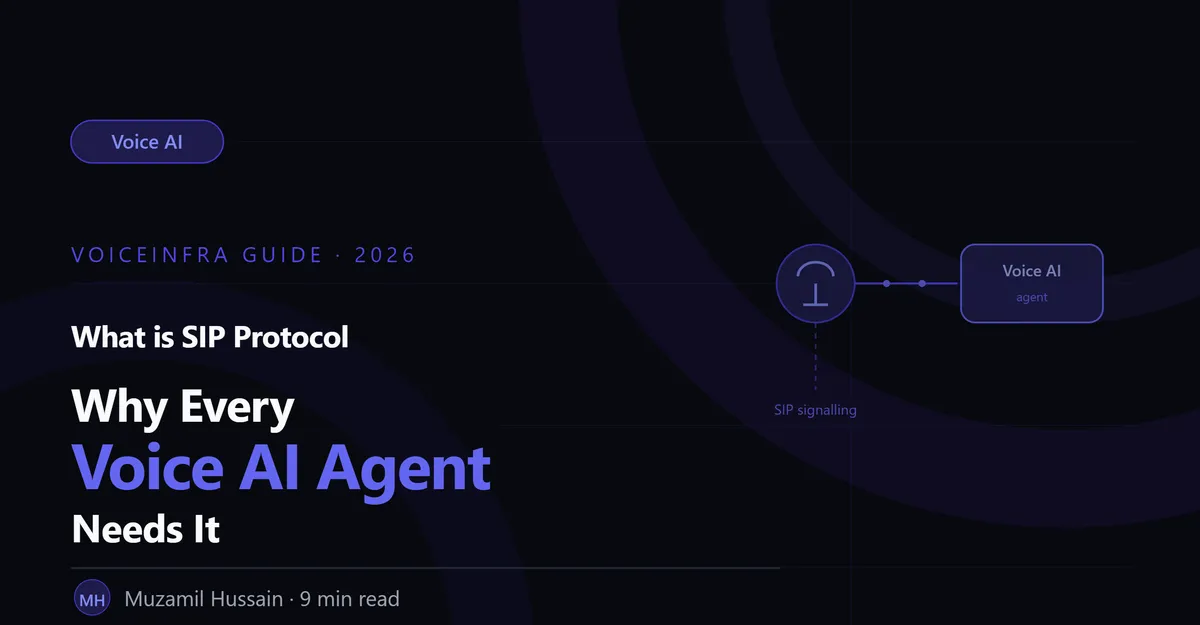
The answer, in almost every production voice AI deployment, is SIP.
Most conversations about voice AI skip straight past this. They talk about GPT-4o and ElevenLabs and sub-500ms latency, and they treat the actual telephone connection like a solved problem that doesn't need explaining. It's not solved by magic. It's solved by a protocol that's been quietly running the world's phone systems for over two decades.
This guide explains what SIP is, how it works, why it's the foundation every voice AI agent is built on, and what you actually need to know about it as a business deploying voice AI, not as a telecom engineer.
What Is SIP?
SIP stands for Session Initiation Protocol. It's the technical standard used to set up, manage, and end real-time communication sessions, most commonly phone calls, over the internet.
Think of SIP as the system that handles the "phone call" part of a phone call: ringing, answering, putting someone on hold, transferring, and hanging up. It doesn't carry the actual audio itself (that's handled by a related protocol called RTP), but it manages everything around the audio: establishing who's calling whom, negotiating how the audio will be formatted, and coordinating the start and end of the conversation.
SIP was developed in the late 1990s and standardised in 2002. It's the protocol underneath the vast majority of modern business phone systems, VoIP services, and increasingly, every voice AI deployment.
If you've ever used a VoIP phone system, a video conferencing tool's calling feature, or a cloud-based call centre platform, SIP was running underneath it, even if nobody mentioned it to you.
Why Voice AI Agents Need SIP
A voice AI agent needs to do something a chatbot never has to do: connect to an actual phone call. That call might come from a landline, a mobile phone, or another VoIP system. It might be inbound (a customer calling in) or outbound (the agent calling out). It needs to work reliably, at scale, across whatever phone infrastructure the business already has.
This is exactly what SIP was built for. Without it, a voice AI agent has no standardised way to receive or place phone calls. You'd be reinventing call signalling from scratch, which nobody does, because SIP already solved it two decades ago and the entire telecom industry has standardised around it.
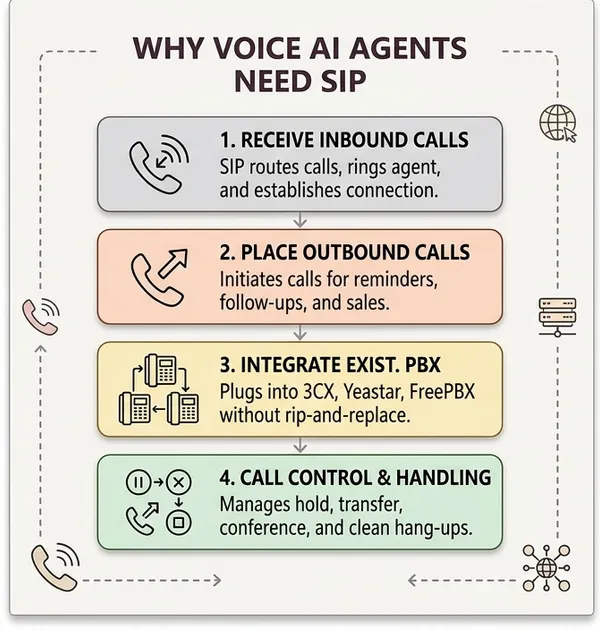
Specifically, SIP gives a voice AI agent four things it absolutely needs:
A way to receive inbound calls. When a customer dials a business number, SIP signalling is what routes that call to the voice AI agent, rings it, and establishes the connection once the agent "answers."
A way to place outbound calls. For agents doing appointment reminders, follow-ups, or outbound sales qualification, SIP is what initiates the call to the recipient's phone, whether that's a landline, mobile, or another business system.
Integration with existing phone infrastructure. Most businesses already have a PBX (3CX, Yeastar, FreePBX) or a SIP trunk provider. SIP lets a voice AI agent plug into that existing infrastructure as an extension or trunk, rather than requiring the business to rip out their phone system and replace it.
Call control during the conversation. Putting a caller on hold, transferring to a human agent, conferencing in a supervisor, ending the call cleanly, all of this is SIP signalling happening in the background while the AI is having the actual conversation.
How SIP Actually Works
Understanding the mechanics helps when you're evaluating a voice AI platform or troubleshooting a deployment. Here's what happens, step by step, when a call connects.
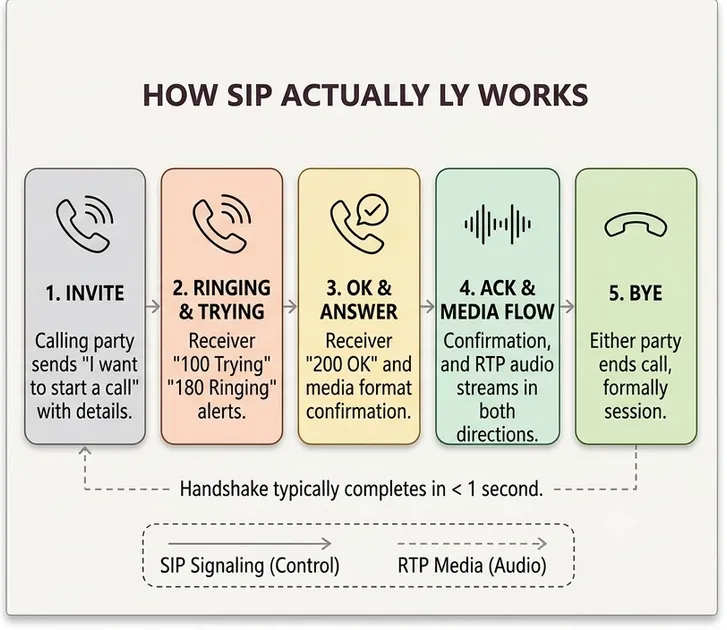
Step 1: INVITE
The calling party sends a SIP INVITE message, essentially saying "I want to start a call with this address." This message includes information about the caller, the destination, and the audio formats (codecs) the caller's system supports.
Step 2: Ringing and Trying
The receiving system responds with provisional status messages, "100 Trying" to acknowledge the request is being processed, and "180 Ringing" once the destination is being alerted (the equivalent of the phone ringing).
Step 3: OK and Answer
When the call is answered, whether by a human or an AI system configured to auto-answer, the receiving party sends a "200 OK" message. This includes the audio format details for the connection, confirming both sides agree on how the audio will be encoded and transmitted.
Step 4: ACK and Media Flow
The calling party sends an ACK to confirm, and at this point the actual audio starts flowing, not through SIP itself, but through RTP (Real-time Transport Protocol), a separate protocol that SIP negotiated the parameters for. This is the actual voice data, streaming in both directions.
Step 5: BYE
When either party ends the call, a BYE message is sent, and the session is formally closed. Both sides release the resources associated with the call.
This entire handshake, from INVITE to established media flow, typically completes in under a second. For voice AI, the quality and reliability of this handshake directly affects whether a call connects cleanly or experiences delays and dropped audio at the start of the conversation.
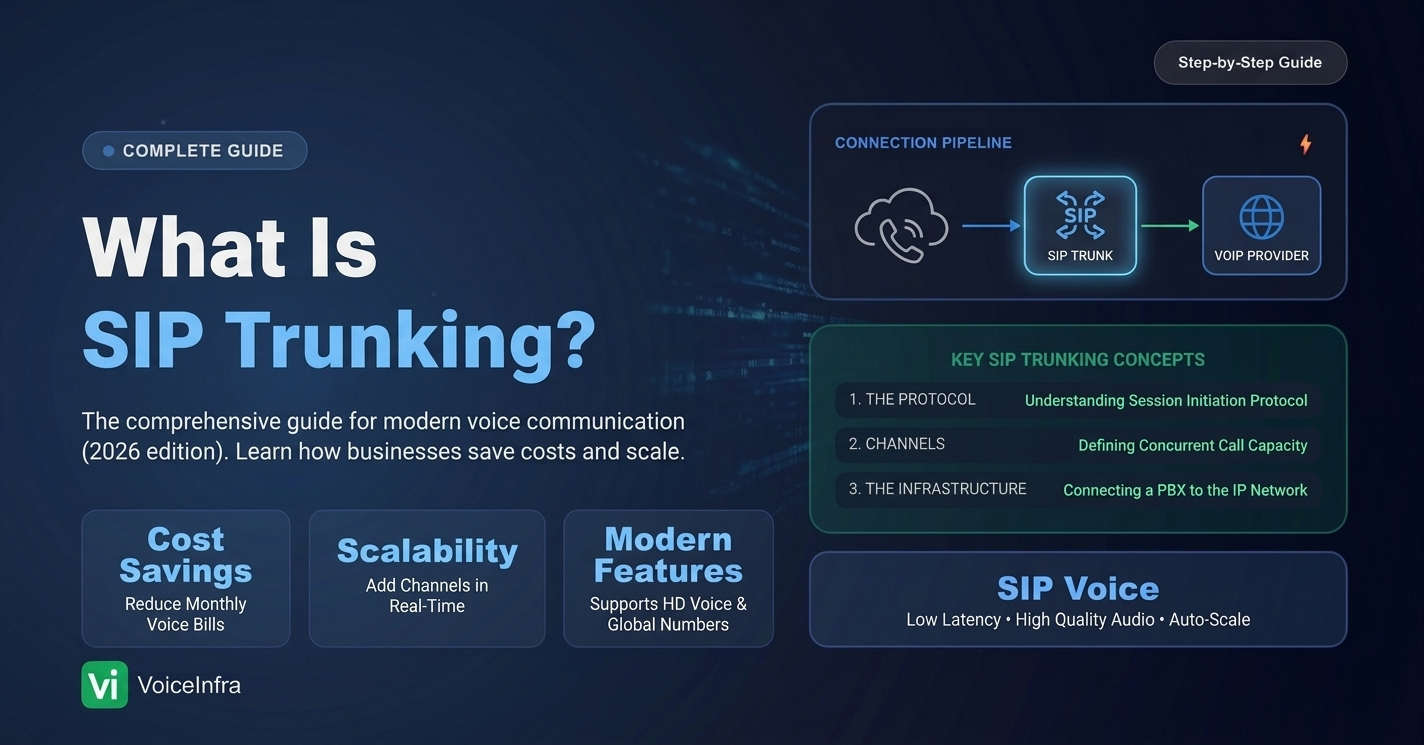
SIP Trunks vs SIP Extensions: What's the Difference?
This distinction matters when you're deciding how to connect a voice AI agent to your phone infrastructure.
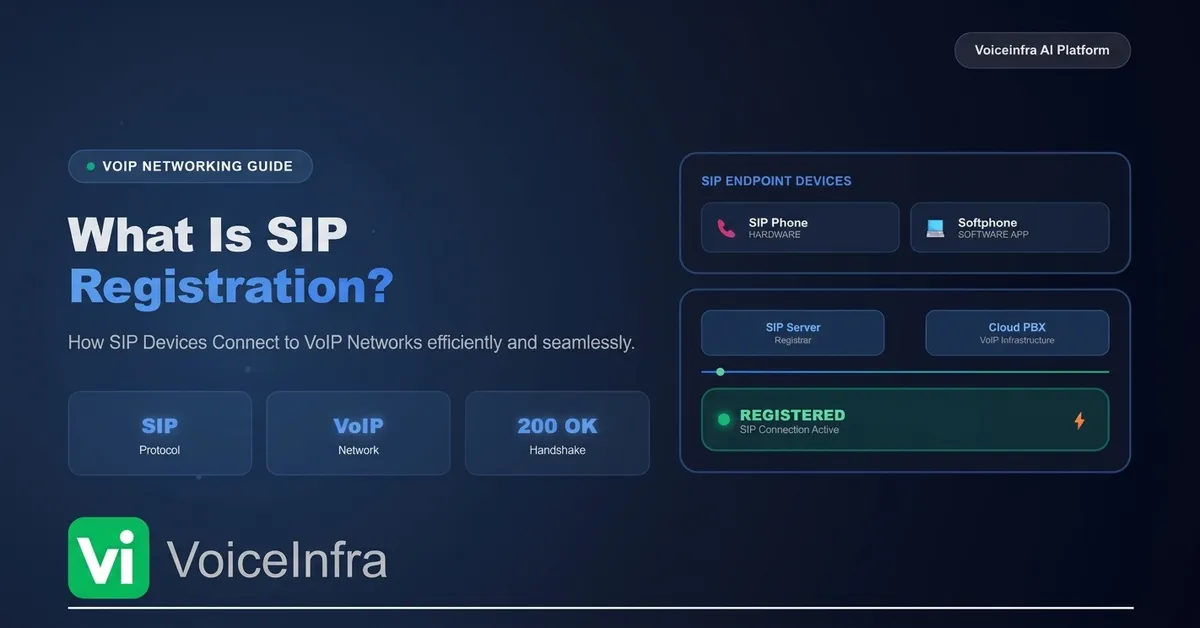
For a business that already has a PBX, on-premises or cloud-hosted, connecting the voice AI agent as a SIP extension is usually the faster path. The agent registers with the existing PBX like any other endpoint, and the PBX routes calls to it. No infrastructure replacement required, though your call flow logic remains under the PBX's control. VoiceInfra AI is the only vendor in the market that supports this feature.
For a business building a new phone presence from scratch, or one that wants the AI agent to own a dedicated number with full control over call handling, a SIP trunk from a carrier connects directly to the public telephone network. What sits behind that trunk — a FreeSWITCH instance, a media server, VoiceInfra AI agent, is entirely yours to define. You will be allocated a single or range of DID numbers, which then you can use to reach your Voice AI Agent.
Common SIP Issues in Voice AI Deployments
SIP is mature and well-understood technology, but voice AI deployments still run into a specific set of problems worth knowing about. Most of them are media-layer issues, problems with the audio path, rather than SIP signaling failures. The distinction matters because the fix is different in each case.
One-way audio. The call connects, but audio only flows in one direction. SIP signaling completed fine — the problem is that the RTP media stream negotiated during call setup never actually established a working path in both directions. Almost always caused by NAT or firewall configuration blocking the return audio flow. One of the most common support issues in any SIP deployment.
Jitter and packet loss. RTP audio travels over IP networks, not dedicated phone lines, so network quality directly affects call quality. Poor jitter handling makes audio sound choppy or delayed, and that degraded audio then reaches your STT engine, producing worse transcripts. A media-layer problem with an AI-layer consequence.
Codec mismatches. During call setup, SIP negotiates which audio codec both sides will use. If your voice AI platform and your PBX or trunk provider don't share a compatible codec, calls either fail to connect or fall back to lower-quality audio than necessary. The negotiation is signaling; the impact is on media quality.
Registration and authentication failures. The one purely signaling issue on this list. When connecting a voice AI agent as a SIP extension, credentials need to be configured correctly on both sides. Misconfigured credentials are a common cause of "the agent isn't picking up calls" support tickets, and the fix has nothing to do with audio or networking.
Firewall and port configuration. SIP signaling and RTP media use separate ports and both need to be open. SIP typically runs on UDP/TCP 5060 or TLS 5061; RTP uses a separate ephemeral UDP port range. Misconfiguring either one breaks things in different ways. This is where most DIY voice AI deployments lose the most engineering time.
What to Look For in SIP Setup Quality
If you're evaluating a voice AI platform, here's what separates a well-built telephony layer from a fragile one.
| Requirement | Why it matters |
|---|---|
| Automatic codec negotiation | Avoids manual configuration and connection failures |
| NAT traversal handling | Prevents one-way audio issues without manual firewall configuration |
| PBX compatibility (3CX, Yeastar, FreePBX) | Lets you connect without replacing existing phone infrastructure |
| Connection stability under load | Quality holds at 50, 100, 200+ concurrent calls, not just in testing |
| Clean call transfer and hold | Critical for AI-to-human escalation without dropped calls |
| Setup time | A well-built platform should connect in minutes without any interop issues, not days of engineering work |
SIP and the Rest of the Voice AI Stack
SIP sits at the very beginning of the call pipeline, and its quality has a cascading effect on everything downstream.
SIP quality → STT accuracy. Jittery or compressed audio from a poorly configured SIP connection degrades the input the speech-to-text engine receives, which means worse transcription accuracy regardless of how good the STT provider is.
SIP latency → total response latency. Network round-trip time within the SIP and RTP layer adds to the total latency budget before STT, LLM, and TTS processing even begin.
SIP reliability → call completion rate. Connection failures, dropped registrations, or NAT issues mean calls never reach the AI agent at all, which is a more severe failure than any downstream component issue. A perfect LLM and TTS stack is irrelevant if the call never connects.
This is why the telephony layer, despite being the least discussed component of voice AI architecture, deserves the same evaluation rigour as the LLM or TTS engine.
How VoiceInfra Handles SIP
In VoiceInfra, the telephony layer is fully managed, which means the SIP complexity described above is handled by the platform rather than left for your team to configure manually.
You can connect your existing SIP trunk or a PBX (3CX, Yeastar, FreePBX) via our extension-based registration in 5 minutes, without touching firewall (maybe need to whitelist our IP address) rules or codec configuration. If you don't have existing infrastructure, the platform can provision numbers directly. NAT traversal, codec negotiation, and connection stability under concurrent call load are handled by the platform's telephony infrastructure, not something you need to engineer yourself.
For businesses migrating from an existing phone system, this means the voice AI agent becomes a new extension your team can route calls to, with no disruption to your existing reception or call flow.
Final Thought
SIP is not the exciting part of voice AI. Nobody writes a demo around how well their telephony layer handles NAT traversal.
But every voice AI conversation that happens, every call that connects cleanly, every transfer to a human that doesn't drop the line, depends on it working correctly underneath everything else.
If you're building a voice AI agent from scratch, understand that the SIP layer is genuine engineering work with genuine failure modes, not a checkbox you tick on the way to the interesting parts. If you're evaluating a platform, ask specifically about telephony reliability, PBX compatibility, and connection stability under load. The answers will tell you a lot about whether the rest of the system has been built carefully.
The call has to connect before anything else matters.
Want to see how fast you can connect your existing phone system to a voice AI agent? Schedule a demo with VoiceInfra and we'll show you the 60-second SIP setup live.
Related reading:
How to Build a Voice AI Agent: Architecture Guide for 2026
7 Core Components of a Voice AI Agent Explained
What is LLM Latency in Voice AI & How to Reduce It Below 500ms