What Is SIP Registration?
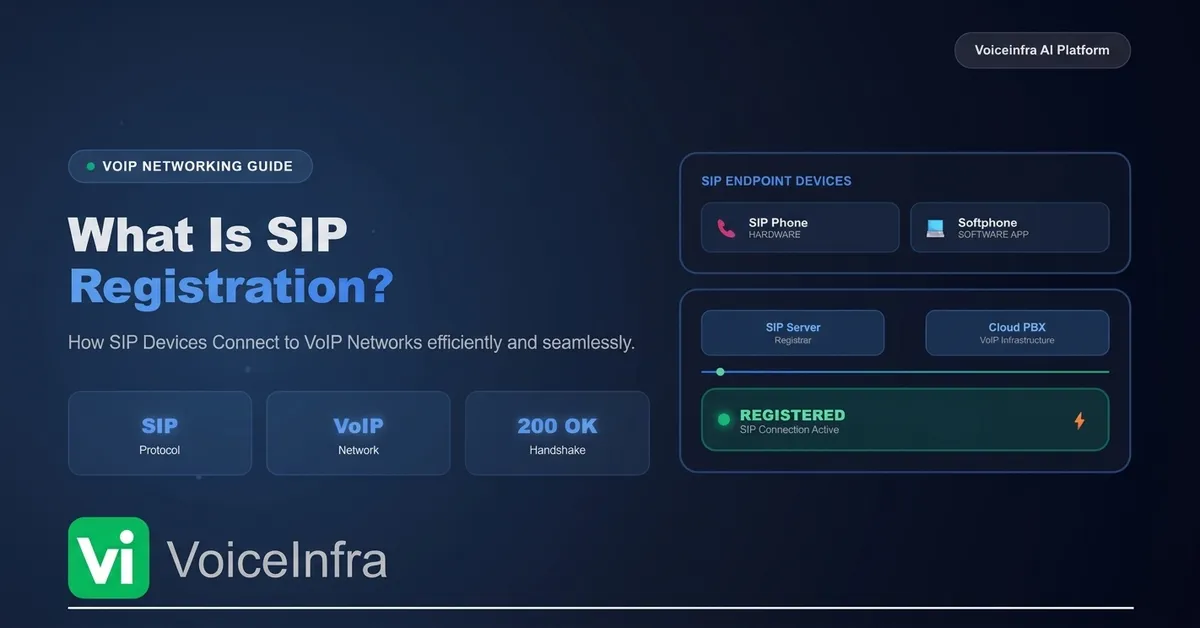
SIP Registration is the process through which a SIP device identifies itself to a SIP server so that it can send and receive calls.
A SIP device may be:
An IP desk phone
A softphone application
A mobile VoIP app
A Session Border Controller (SBC)
An AI voice agent
A cloud PBX extension
When the device starts, it sends a REGISTER request to the SIP server.
The server verifies the device's credentials and records its contact information (IP address and port).
Once the registration is successful, the server knows exactly where to deliver incoming calls.
Think of SIP Registration as checking in at a hotel.
Until you check in, the hotel doesn't know you're there.
Similarly, until a SIP device registers, the SIP server doesn't know where to send calls.
Why Is SIP Registration Important?
SIP Registration is a fundamental part of every SIP-based communication system.
Without it, users would need to manually configure routing information every time they wanted to communicate.
Registration automates this process and enables features such as:
Receiving incoming calls
Placing outbound calls
Device authentication
User location updates
Mobility across networks
Presence information
Reliable call routing
For enterprise organizations with hundreds or even thousands of SIP endpoints, registration ensures that each device remains reachable and securely connected.
How SIP Registration Works
Although the process happens within seconds, several steps take place behind the scenes.
Step 1 – Device Starts
When a SIP phone or softphone powers on, it loads its SIP configuration.
This configuration typically includes:
SIP username
Authentication ID
Password
SIP server address
Transport protocol (UDP, TCP, or TLS)
Registration expiration time
Step 2 – Device Sends a REGISTER Request
The device sends a SIP REGISTER request to the SIP server.
This request includes information such as:
User identity
Contact address
Device IP address
Port number
Supported transport
Registration expiry value
At this stage, the server has not yet authenticated the device.
Step 3 – Server Challenges the Request
To verify the client's identity, the SIP server usually responds with:
401 Unauthorized
This response is expected and does not mean the registration has failed.
Instead, it tells the device to prove its identity by providing authentication credentials.
Step 4 – Device Sends Authentication
The SIP device calculates a secure authentication response using its username, password, and the challenge received from the server.
It then sends another REGISTER request containing the required authentication information.
Step 5 – Registration Successful
If the credentials are valid, the SIP server responds with:
200 OK
The device is now registered.
The SIP server stores:
User identity
Contact URI
Registration expiration time
The endpoint is now ready to send and receive calls.
Simplified SIP Registration Flow

This entire process usually completes in just a few milliseconds under normal network conditions.
What Information Is Stored During Registration?
When a device registers successfully, the SIP server maintains a temporary record that includes:
| Information | Purpose |
|---|---|
| SIP Username | Identifies the user or extension |
| Contact URI | Specifies where calls should be delivered |
| IP Address | Current network location of the device |
| Port Number | Communication endpoint |
| Transport Protocol | UDP, TCP, or TLS |
| Registration Expiry | Determines when the device must register again |
This information allows the SIP server to route incoming calls accurately and maintain communication with active devices.
💡 Did You Know?
SIP Registration is temporary.
Most SIP devices automatically renew their registration every few minutes before the expiration timer runs out.
This ensures that if a device changes networks, reconnects after an outage, or receives a new IP address, the SIP server always has the latest contact information.
Why SIP Registration Matters for Voice AI
Modern AI voice platforms rely on SIP Registration to connect with existing business telephony systems.
Instead of replacing an organization's PBX, VoiceInfra can integrate with registered SIP endpoints to:
Receive inbound calls
Route calls to AI voice agents
Transfer conversations to human agents
Connect with SIP trunks and PBXs
Maintain secure communication across enterprise environments
This allows businesses to modernize customer interactions while continuing to use their existing SIP infrastructure.
SIP REGISTER Request Explained
After a SIP device starts, its first job is to introduce itself to the SIP server. It does this by sending a REGISTER request.
Unlike an INVITE request, which starts a phone call, a REGISTER request simply tells the server:
"I'm online. Here's where you can reach me."
The server then verifies the device's identity and updates its location database.
Anatomy of a SIP REGISTER Request
A SIP REGISTER message contains several important fields that help the server identify and authenticate the device.
| SIP Header | Purpose |
|---|---|
| Request URI | Specifies the SIP registrar server |
| Via | Tracks the path taken by the request |
| From | Identifies the user sending the request |
| To | Identifies the account being registered |
| Call-ID | Unique identifier for the registration session |
| CSeq | Sequence number for REGISTER requests |
| Contact | Specifies where future calls should be delivered |
| Expires | Defines how long the registration remains valid |
| Authorization | Contains authentication credentials after a challenge |
Each header plays a specific role in ensuring that registrations are secure and correctly routed.
Understanding SIP Authentication
To prevent unauthorized devices from registering, SIP servers use an authentication challenge.
A typical registration process looks like this:
SIP Phone
     │
REGISTER
     │
SIP Server
     │
401 Unauthorized
     │
REGISTER + Authorization
     │
200 OK
The 401 Unauthorized response is completely normal.
It doesn't mean the registration failed.
Instead, it asks the device to prove its identity before registration is accepted.
Once the credentials are verified, the server returns 200 OK, confirming that the endpoint is registered.
What Is SIP Digest Authentication?
Most SIP systems use Digest Authentication, a challenge-response mechanism that helps protect user credentials.
Instead of sending the password directly across the network, the client computes a cryptographic digest based on the username, password and server challenge.
This approach significantly reduces the risk of exposing passwords during the authentication process.
For even stronger security, many enterprise deployments combine Digest Authentication with TLS encryption to protect signaling traffic.
Registration Expiration (Expires Header)
SIP Registration is not permanent.
Every registration has an expiration timer.
The Expires header tells the SIP server how long the device should remain registered before it must renew its registration.
Common values include:
| Registration Time | Typical Use Case |
|---|---|
| 60 Seconds | Testing environments |
| 300 Seconds (5 min) | Common enterprise deployment |
| 600 Seconds (10 min) | Business VoIP systems |
| 3600 Seconds (1 hour) | Some hosted SIP services |
Before the timer expires, the device automatically sends another REGISTER request to keep the connection active.
This process is called re-registration.
SIP Registration vs SIP INVITE
Many beginners confuse these two SIP methods.
They perform completely different tasks.
| SIP Registration | SIP INVITE |
|---|---|
| Registers a device with the SIP server | Starts a phone call |
| Updates the device location | Creates a communication session |
| Happens when the device comes online | Happens when a user places or receives a call |
Uses the REGISTER method | Uses the INVITE method |
A simple way to remember the difference:
REGISTER says, "I'm available."
INVITE says, "Let's start a conversation."
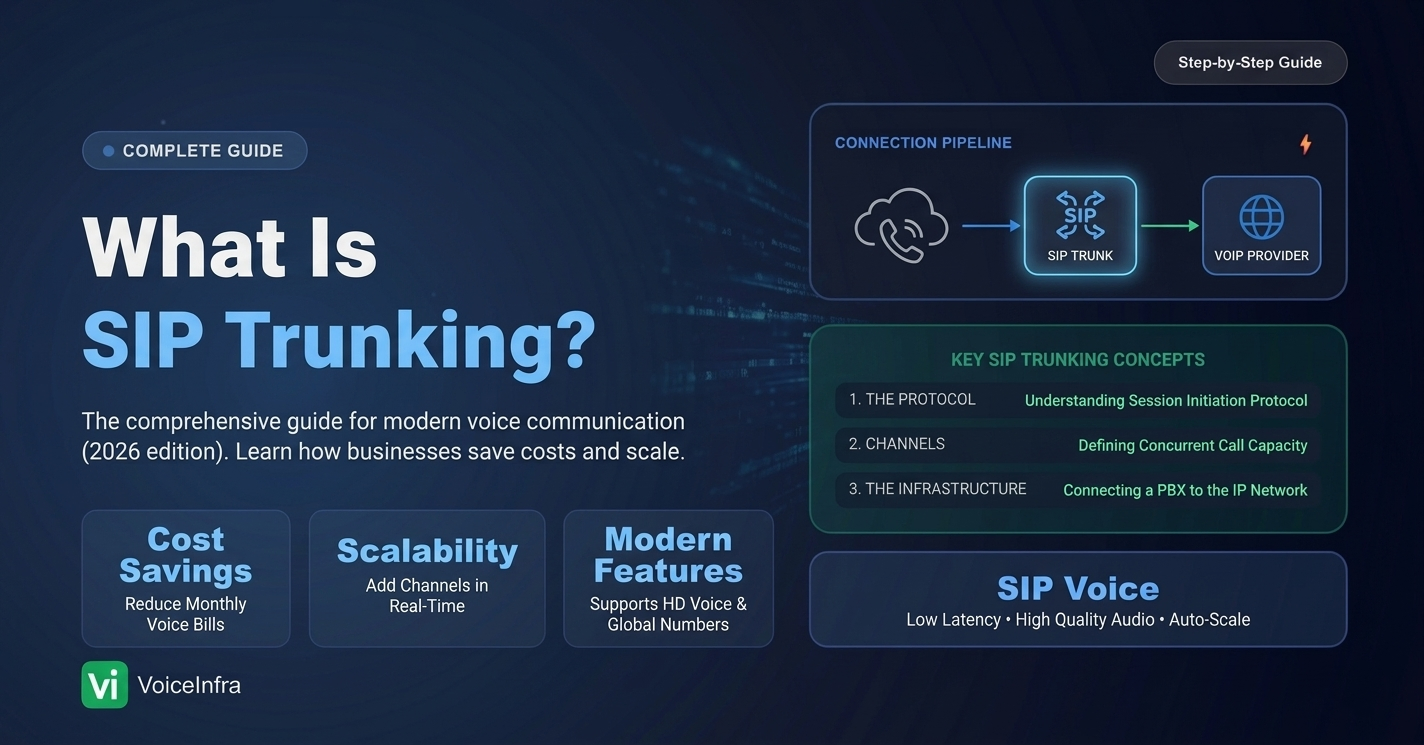
SIP Registration vs SIP Trunking
Another common misconception is that SIP Registration and SIP Trunking are the same thing.
They are related but serve different purposes.
| SIP Registration | SIP Trunking |
|---|---|
| Connects a SIP endpoint to a SIP server | Connects a PBX to the public telephone network (PSTN) |
| Used by phones, softphones, and extensions | Used by businesses to make and receive external calls |
| Focuses on endpoint availability | Focuses on voice connectivity between networks |
Many businesses use both together.
For example:
Employees register their SIP phones with the PBX.
The PBX connects to the telephone network through a SIP trunk.
VoiceInfra integrates with the PBX to automate inbound and outbound AI calls.
Registration Sequence Diagram

This sequence typically completes in less than a second under normal network conditions.
Where SIP Registration Is Used
SIP Registration is a core process in many communication environments, including:
Cloud PBXs
Enterprise phone systems
Hosted VoIP platforms
AI voice agents
Contact centers
Softphone applications
IP desk phones
Mobile VoIP apps
Unified Communications (UC) platforms
Without registration, these endpoints cannot reliably receive incoming calls.
Enterprise Best Practices
To improve security and reliability, organizations should follow these recommendations:
Use TLS to encrypt SIP signaling whenever possible.
Choose strong, unique SIP passwords.
Disable unused SIP accounts and extensions.
Monitor registration failures for suspicious activity.
Configure sensible registration expiry intervals.
Protect SIP servers with firewalls and Session Border Controllers (SBCs).
Keep PBX and SIP software updated with the latest security patches.
These practices help reduce unauthorized access and improve overall VoIP reliability.
📊 Research Insight
The IETF RFC 3261 specification defines the SIP REGISTER method and the registration process used by SIP user agents and registrars. Enterprise SIP deployments commonly implement Digest Authentication together with TLS to provide secure endpoint registration. When publishing this article, cite the official RFC 3261 documentation and your SIP platform documentation to support these technical explanations.
💡 VoiceInfra Tip
If you're integrating VoiceInfra with an existing PBX or SIP provider, ensure that your SIP endpoints are successfully registered before testing AI call flows.
Most inbound call issues are caused by registration failures, expired registrations, incorrect credentials, firewall restrictions, or network configuration problems—not the AI application itself.
Common SIP Registration Errors and How to Fix Them
Even a small configuration mistake can prevent a SIP device from registering successfully.
The good news is that most SIP registration problems are easy to diagnose once you understand the SIP response codes.
Below are the most common errors you'll encounter and how to resolve them.
401 Unauthorized
Meaning:
The SIP server is requesting authentication credentials.
Is it an error?
❌ Not usually.
This is a normal part of the SIP registration process.
The server challenges the client, which then resends the REGISTER request with authentication information.
Possible Causes
Initial REGISTER request
Authentication challenge
Solution
No action is required unless registration repeatedly fails after the authentication challenge.
403 Forbidden
Meaning:
The SIP server rejected the registration request.
Common Causes
Incorrect username
Wrong password
Account disabled
IP address blocked
Authentication policy violation
Solution
Verify SIP credentials.
Confirm the account is active.
Check IP whitelist settings.
Review server authentication logs.
404 Not Found
Meaning:
The requested SIP user or extension doesn't exist.
Common Causes
Incorrect extension number
Typographical errors
Deleted SIP account
Solution
Verify the SIP username.
Confirm the extension exists on the PBX.
Recreate the account if necessary.
408 Request Timeout
Meaning:
The SIP server didn't receive a response within the expected time.
Common Causes
Network outage
Firewall restrictions
DNS issues
Incorrect server address
Solution
Test network connectivity.
Verify DNS resolution.
Check firewall rules.
Confirm the SIP server hostname and port.
480 Temporarily Unavailable
Meaning:
The destination endpoint is currently unavailable.
Common Causes
Device offline
Registration expired
Internet connection lost
Solution
Ensure the device is powered on.
Confirm successful SIP registration.
Verify internet connectivity.
486 Busy Here
Meaning:
The destination endpoint is already handling another call.
Solution
Retry later.
Configure call waiting or multiple registrations if supported.
503 Service Unavailable
Meaning:
The SIP server is temporarily unable to process requests.
Common Causes
Maintenance
Server overload
Service outage
Solution
Check server health.
Review server logs.
Contact your SIP provider if the issue persists.
SIP Registration Troubleshooting Checklist
When a SIP phone fails to register, work through this checklist before assuming there's a problem with your VoIP provider.
Step 1: Verify Credentials
Double-check:
SIP Username
Authentication ID
Password
Domain
Even a single incorrect character can prevent successful registration.
Step 2: Check the SIP Server
Confirm:
Server hostname
IP address
Port number
Transport protocol (UDP, TCP, or TLS)
Step 3: Test Network Connectivity
Verify:
Internet access
DNS resolution
Packet loss
Latency
Firewall rules
Step 4: Inspect Registration Logs
Most SIP phones, PBXs, and cloud providers generate detailed registration logs.
Review:
REGISTER requests
Authentication challenges
SIP response codes
Registration expiry timers
These logs often reveal the exact cause of the failure.
NAT and Firewall Challenges
One of the biggest causes of SIP registration failures is Network Address Translation (NAT).
When devices are behind routers or corporate firewalls, the SIP server may not be able to reach them correctly.
Common symptoms include:
Registration succeeds but calls fail.
One-way audio.
Intermittent registrations.
Dropped calls.
To improve reliability:
Configure NAT traversal correctly.
Use Session Border Controllers (SBCs).
Allow required SIP and RTP ports.
Use TLS and SRTP where appropriate.
rport
symmetric response routing
outbound (RFC 5626)
keepalives
SIP Registration in Cloud PBXs
Modern cloud PBXs rely on SIP Registration to keep extensions connected from anywhere.
Instead of being limited to an office network, employees can register from:
Home offices
Branch offices
Mobile devices
Softphones
Remote work environments
This flexibility enables businesses to support distributed teams without changing their communication infrastructure.
How VoiceInfra Uses SIP Registration
VoiceInfra integrates with SIP infrastructure to help businesses automate voice interactions while continuing to use their existing communication systems.
A typical workflow looks like this:
SIP Registration keeps AI endpoints connected on the PBX.
SIP Trunks connect the business to the public telephone network.
VoiceInfra processes conversations using enterprise-grade AI.
Calls can be transferred seamlessly between AI agents and human agents.
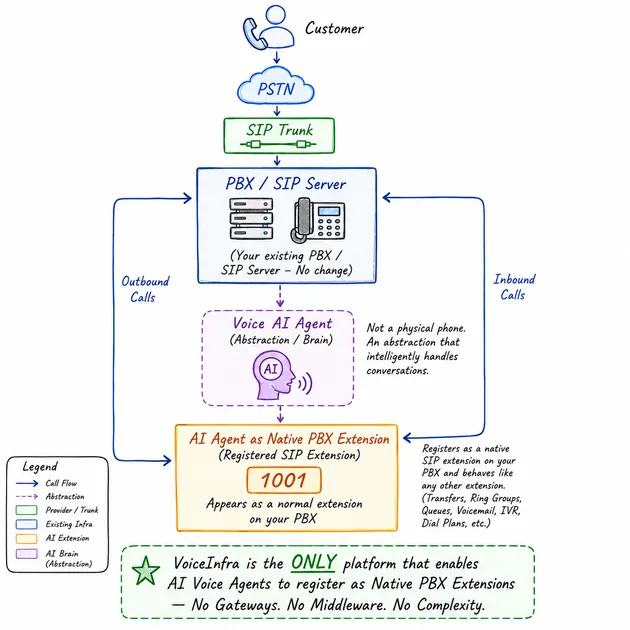
This approach allows organizations to modernize customer communication without replacing their existing PBX or SIP infrastructure.
Best Practices for Reliable SIP Registration
To maintain stable and secure SIP connectivity:
Use strong authentication credentials.
Enable TLS for encrypted signaling.
Configure sensible registration expiry intervals.
Keep PBX firmware and SIP software updated.
Monitor registration logs regularly.
Protect infrastructure with Session Border Controllers (SBCs).
Restrict access using trusted IP addresses whenever possible.
Test failover and disaster recovery procedures.
Following these practices helps reduce downtime and improves overall communication reliability.
Ready to Build AI Voice Applications?
VoiceInfra makes it easy to integrate with existing SIP infrastructure while adding enterprise-grade Voice AI capabilities.
With VoiceInfra, you can:
Connect SIP trunks and PBXs.
Register SIP endpoints securely.
Automate inbound and outbound calls.
Build multilingual AI voice agents.
Integrate with CRMs and business workflows.
Monitor conversations through real-time analytics.
Final Thoughts
SIP Registration is one of the most fundamental processes in modern VoIP communication.
Before a SIP phone, softphone, AI voice agent, or PBX extension can make or receive calls, it must first register with a SIP server. This registration allows the server to know where the endpoint is located, verify its identity, and route incoming calls correctly.
Although the registration process happens in just a few milliseconds, it plays a critical role in ensuring reliable and secure communication.
For businesses deploying AI-powered voice solutions, understanding SIP Registration is even more important. A stable registration process ensures that AI voice agents can receive calls, connect to existing PBXs, transfer conversations to human agents, and integrate seamlessly with enterprise communication systems.
VoiceInfra simplifies this process by supporting enterprise SIP infrastructure while adding advanced Voice AI capabilities such as real-time speech recognition, intelligent conversations, multilingual support, workflow automation, and business integrations. It is the only product in the market that supports seamless registration of the Voice AI agent as an extension in the customer's existing PBX.
Whether you're running a small business phone system or a global contact center, mastering SIP Registration is an essential step toward building reliable, scalable, and future-ready communication platforms.
Frequently Asked Questions
What is SIP Registration?
SIP Registration is the process through which a SIP device connects to a SIP server and announces its current location so it can make and receive VoIP calls.
Why is SIP Registration important?
Without registration, the SIP server doesn't know where to deliver incoming calls, making communication impossible.
What is a SIP REGISTER request?
A REGISTER request is a SIP message sent by a device to identify itself to the SIP server and update its contact information.
Why do SIP servers return 401 Unauthorized?
This is a normal authentication challenge. The client must resend the REGISTER request with valid authentication credentials.
How often does a SIP phone register?
Most devices automatically renew their registration every few minutes based on the configured expiration timer.
What happens if SIP Registration expires?
The device becomes unreachable until it successfully registers again, meaning inbound calls may fail.
Can multiple SIP devices use the same account?
Some SIP servers support multiple registrations for one account, while others allow only one active registration. This depends on the PBX or SIP provider configuration.
Is SIP Registration encrypted?
It can be. Many enterprise deployments use TLS for signaling encryption and SRTP to secure media streams.
How does VoiceInfra use SIP Registration?
VoiceInfra AI agents register with your existing PBXs to automate AI-powered inbound and outbound calls while maintaining compatibility with existing enterprise telephony systems.
What's the difference between SIP Registration and SIP Trunking?
SIP Registration connects individual devices to a SIP server, while SIP Trunking connects an organization's PBX to the public telephone network (PSTN).
Related Articles
Continue learning with these VoiceInfra guides: