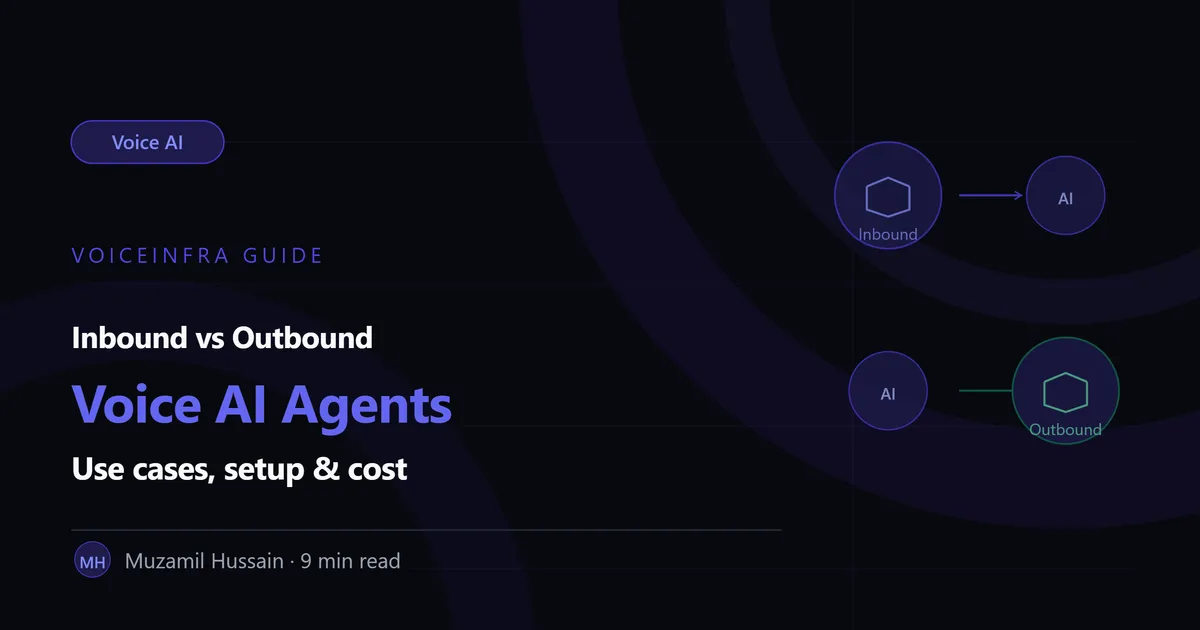
Most businesses evaluating voice AI start with one question: "Can it answer my phone?" That's inbound. The bigger opportunity, the one most teams discover later, is "Can it make the call?" That's outbound.
These are two different capabilities, with different setup requirements, different cost structures, and different use cases. Most platforms, including VoiceInfra, support both. But understanding the difference matters because choosing the wrong one for your situation, or assuming you only need one when you actually need both, is a common and expensive mistake.
This guide breaks down inbound vs outbound voice AI agents: what each one actually does, where each one delivers the most value, what setup looks like for both, and how the cost structures compare.
What Is an Inbound Voice AI Agent?
An inbound voice AI agent answers calls that come into your business. The caller dials your number, the AI agent picks up, understands what they need, and resolves the call or routes it appropriately.
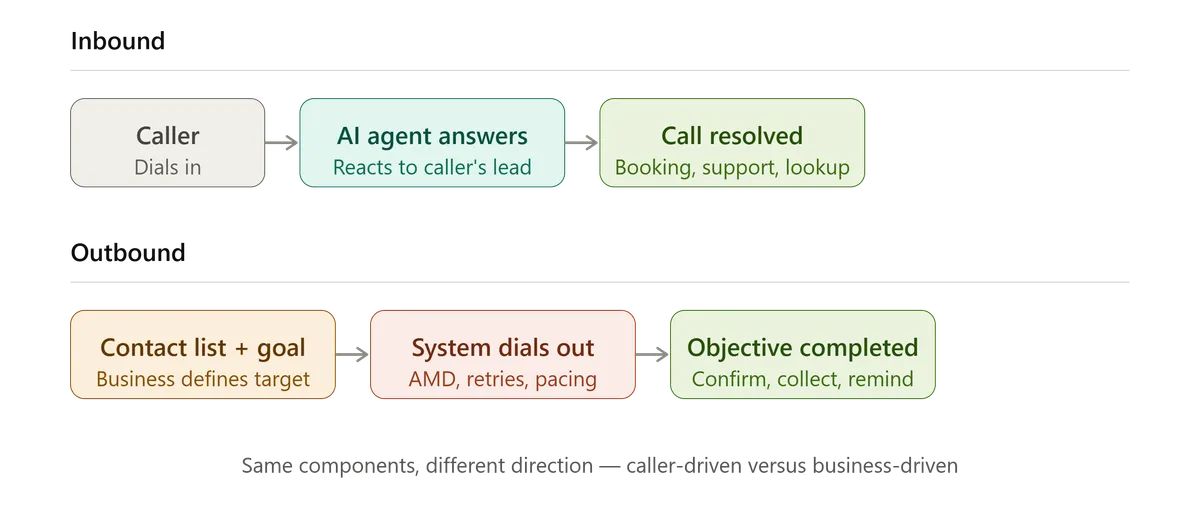
This is the use case most people think of first when they hear "voice AI agent." A patient calls a clinic to book an appointment. A customer calls about a delayed order. A policyholder calls to report a claim. The AI agent handles the conversation, often resolving it completely without a human ever picking up.
Common inbound use cases:
Appointment scheduling and rescheduling
Customer support and FAQ resolution
Order status and account lookups
Claims intake (first notice of loss)
After-hours coverage when staff aren't available
Call routing and triage before escalation to a human
Inbound is reactive by nature. The agent waits for the call and responds. The volume is driven by however many people choose to call in, which means inbound volume is somewhat unpredictable day to day but generally consistent over time for an established business.
What Is an Outbound Voice AI Agent?
An outbound voice AI agent initiates calls on the business's behalf. Instead of waiting for someone to call in, the agent dials out, often to a list of contacts, to deliver information, collect information, or move a process forward.
Common outbound use cases:
Appointment reminders and confirmations
Payment reminders and collections follow-up
Lead qualification for inbound inquiries that haven't been actioned
Post-service follow-up and satisfaction checks
Re-engagement campaigns for dormant customers
Survey and feedback collection
Delivery and logistics confirmation calls
Outbound is proactive. The business decides when the call happens, who it goes to, and what the agent is trying to accomplish. This makes outbound volume predictable and scalable in a way inbound isn't, a business can decide to run 50 calls today or 5,000, depending on the list.
The Core Architectural Difference
Inbound and outbound agents share the same underlying components, STT, LLM, TTS, orchestration, but the way those components get used differs in a few important ways.
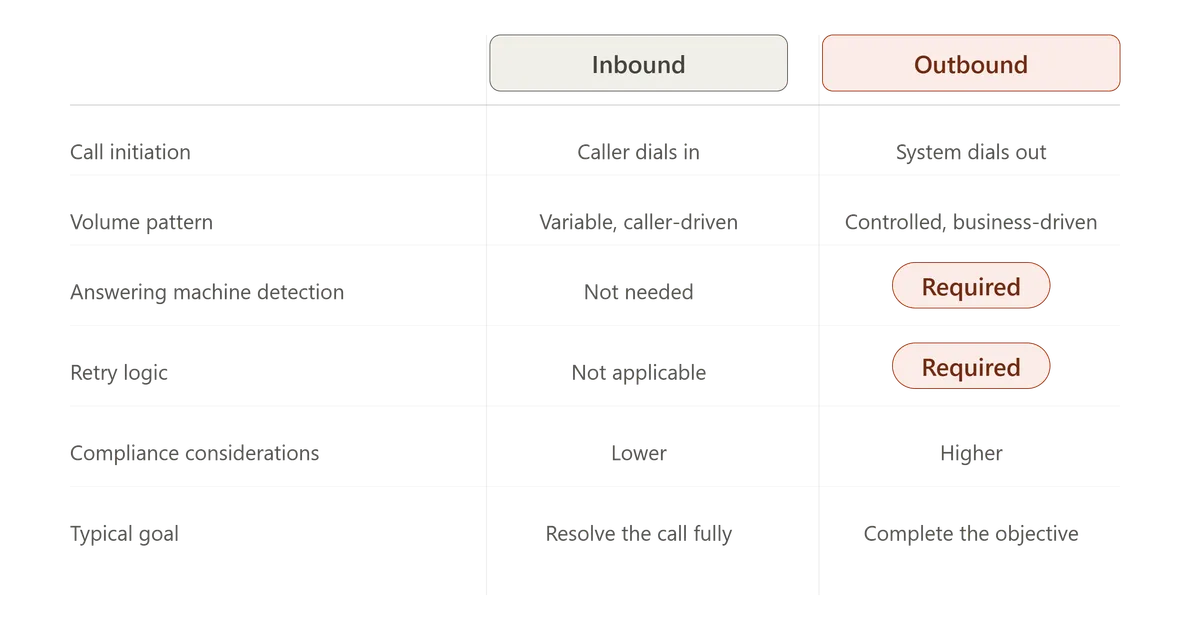
| Aspect | Inbound | Outbound |
|---|---|---|
| Call Initiation | Caller dials in | System dials out |
| Conversation Control | Agent reacts to the caller's lead | Agent drives the conversation toward a goal |
| Volume Pattern | Variable, caller-driven | Controlled, business-driven |
| Answering Machine Detection | Not needed | Required (avoid talking to voicemail) |
| Compliance Considerations | Lower (caller opted in by calling) | Higher (calling regulations, consent, time-of-day rules) |
| Retry Logic | Not applicable | Required (no answer, busy, callback scheduling) |
| Typical Containment Goal | Resolve the call fully | Complete the specific objective (confirm, collect, remind) |
The outbound-specific requirements are worth calling out specifically, because they're often underestimated.
Answering machine detection (AMD). When an outbound agent calls a number and gets voicemail instead of a person, it needs to recognise that and either leave an appropriate message or hang up, rather than launching into a conversational script aimed at a machine. This requires audio pattern detection that inbound agents don't need at all.
Compliance and consent. Outbound calling is subject to regulations that vary by region and use case, calling time restrictions, consent requirements, opt-out handling, and call frequency limits. An inbound agent doesn't generate this exposure because the caller initiated contact. An outbound campaign needs this built into the system from the start, not added later.
Retry and scheduling logic. Not every outbound call connects on the first attempt. A production outbound system needs logic for what happens on no-answer, busy signal, or a request to call back later, including how many retry attempts are appropriate and over what time window.
Setup: What's Actually Involved
Setting Up Inbound
Inbound setup centres on configuring how the agent handles the range of reasons people call.
Connect the phone number or PBX. Either provision a new number or connect an existing one via SIP trunk, typically a same-day process.
Define the intents. Map out the common reasons people call, scheduling, support, billing, and build the conversational flows for each.
Connect the integrations. Calendar systems, CRM, ticketing, whatever the agent needs to actually look up or update during the call.
Configure escalation rules. Decide when and how the agent hands off to a human, and what context gets passed along.
Test against real call patterns. Run the agent against recordings of actual past calls, not just hypothetical scripts, before going live.
Setting Up Outbound
Outbound setup centres on the campaign: who's being called, why, and what counts as success.
Build or import the contact list. This could be a CRM export, a scheduling system's upcoming appointments, or a list of overdue accounts.
Define the call objective. Confirm an appointment, collect a payment, qualify a lead, each objective needs a tailored script and success criteria.
Configure calling windows and pacing. Set the hours calls are allowed to go out, the maximum calls per hour, and how retries are spaced.
Set up answering machine detection and voicemail handling. Decide whether the agent leaves a message, and what it says.
Define outcome handling. What happens when the call succeeds (mark confirmed, update CRM), and what happens when it doesn't (retry, escalate to a human, flag for follow-up).
Outbound setup generally takes a bit longer to configure well, mainly because the compliance and retry logic require more upfront decisions than a typical inbound flow does.
Cost Comparison
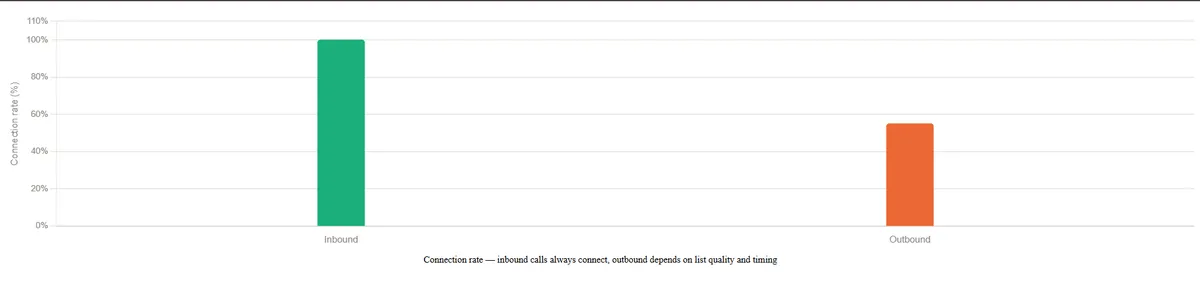
Cost structures differ between inbound and outbound, mainly because of how volume and connection rates work.
| Cost Factor | Inbound | Outbound |
|---|---|---|
| Per-minute Cost | Similar base rate | Similar base rate |
| Connection Rate | ~100% (caller is already on the line) | Often 40–70% (no answer, voicemail, busy) |
| Effective Cost per Outcome | Lower (every call connects) | Higher (cost is spread across attempts, not just connections) |
| Volume Predictability | Variable, harder to budget precisely | Controlled, easier to forecast and cap |
| Compliance / Setup Overhead | Lower | Higher (consent, calling windows, opt-out handling) |
The practical implication: outbound campaigns need to budget for the fact that not every dialled number results in a completed conversation. A campaign targeting 1,000 contacts might connect with 500-700 of them, depending on the list quality and time of day. Cost-per-completed-interaction should be calculated against actual connections, not the size of the contact list.
For most businesses, inbound has a clearer, more predictable cost-to-value relationship since volume is driven by real demand. Outbound has a higher cost-of-experimentation but also a much higher ceiling, since the business controls how much outbound activity to run.
Which One Should You Start With?
This depends entirely on where the operational pain actually is.
Start with inbound if: Your team is overwhelmed by incoming call volume, callers are waiting on hold, or after-hours calls are going unanswered. Inbound delivers immediate relief on a visible, painful problem.
Start with outbound if: You have a list of people who need to be reached, appointment no-shows, overdue payments, unqualified leads, and reaching them manually doesn't scale. Outbound turns a backlog into a completed task list.
Most mature deployments eventually run both. A clinic that uses inbound for booking calls almost always benefits from outbound reminder calls that reduce no-shows. An insurance company handling inbound FNOL calls often adds outbound calls for policy renewal reminders. The two capabilities complement each other rather than compete.
Final Thought
Inbound and outbound voice AI aren't different products, they're different applications of the same underlying capability, aimed at different moments in a customer relationship. Inbound resolves what's already happening. Outbound creates the interaction that needs to happen.
Most businesses underestimate how much value sits in the outbound side, simply because it requires deciding to make the calls rather than waiting for them to arrive. If there's a list sitting in a spreadsheet that someone is supposed to call manually, that's usually the clearest signal that outbound is worth building next.
VoiceInfra supports both inbound and outbound on the same platform, with shared knowledge bases, shared integrations, and consistent agent behaviour across whichever direction the call is going.
Want to see inbound and outbound voice AI working together for your use case? Schedule a demo with VoiceInfra and we'll walk through both sides for your specific call types.
Related reading:
What is a Voice AI Agent? How It Works, Components & Real Examples
Real-Time Function Calling in Voice AI: How Agents Take Action During a Call
Voice AI Agent vs Chatbot: Which One Does Your Business Actually Need?