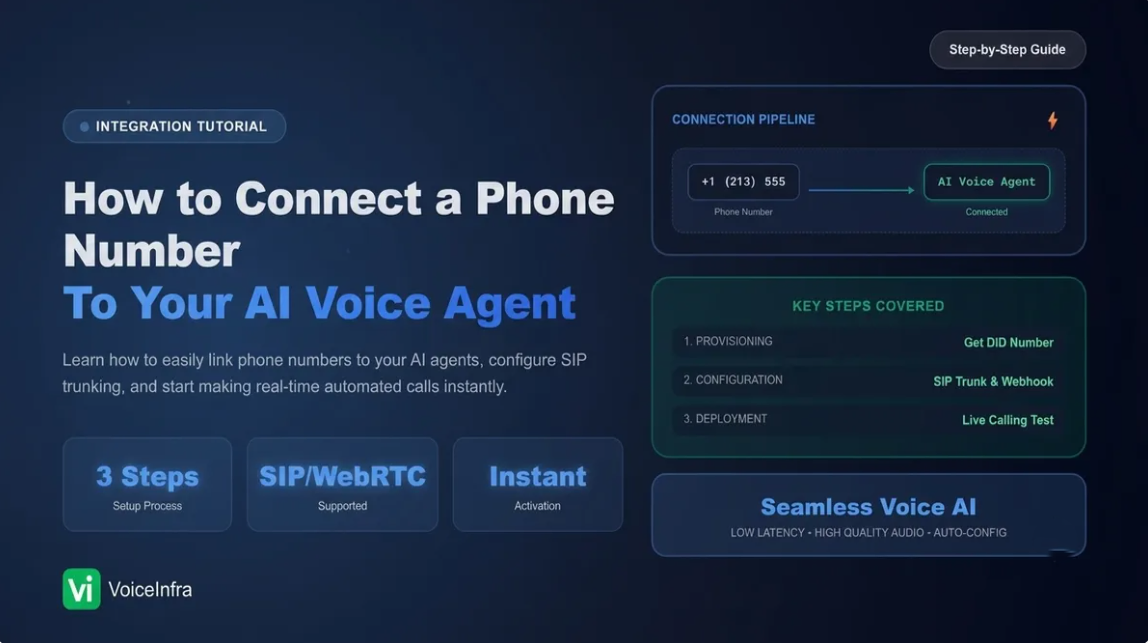
An AI voice agent is only as useful as the phone line it answers. You can build the smartest assistant in the world, but if it has no number to pick up, it never talks to a single customer. That is exactly the gap VoiceInfra's Phone Numbers section closes, and in this guide we will walk through every connection method available, what each one is for, and how to pick the right one for your business.
What the Phone Numbers Dashboard Does
Inside your VoiceInfra dashboard, under Deploy > Phone Numbers, you get a single screen to manage every SIP number tied to your AI assistants. When you have not added anything yet, the panel simply shows "No phone numbers configured," with one clear action to get started: Add Phone Number.
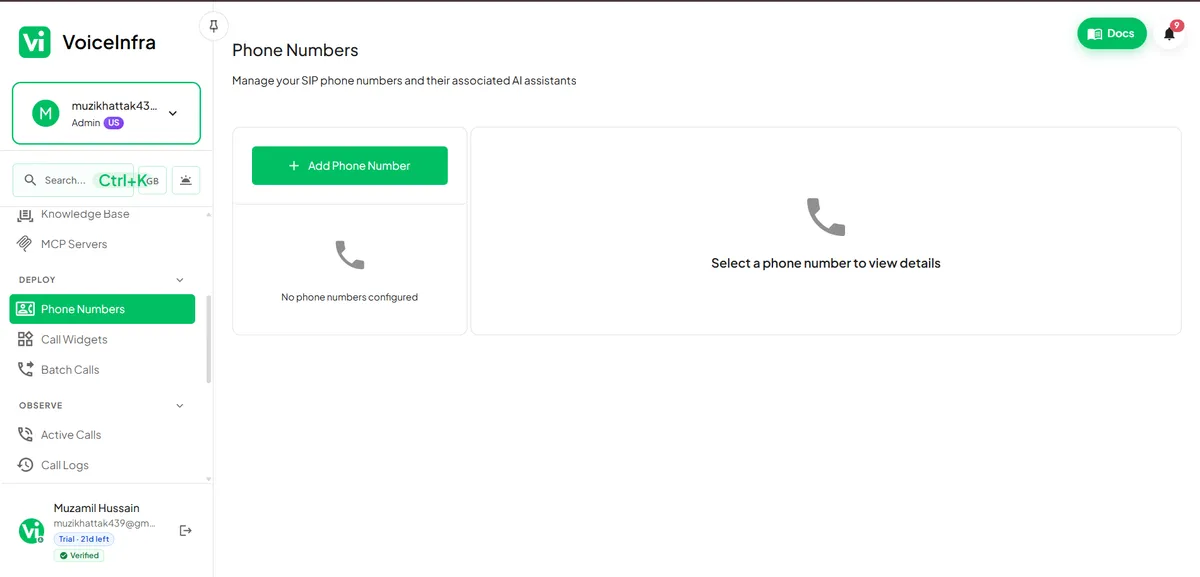
This is deliberately minimal by design. VoiceInfra keeps the entry point simple so that whether you are technical or not, connecting a number takes minutes, not a support ticket.
The Six Ways to Add a Phone Number
Clicking Add Phone Number opens a modal titled "Choose your connection method." This is where VoiceInfra shows its range: it is not locked to one telephony provider, it is built to fit into whatever stack you already run.
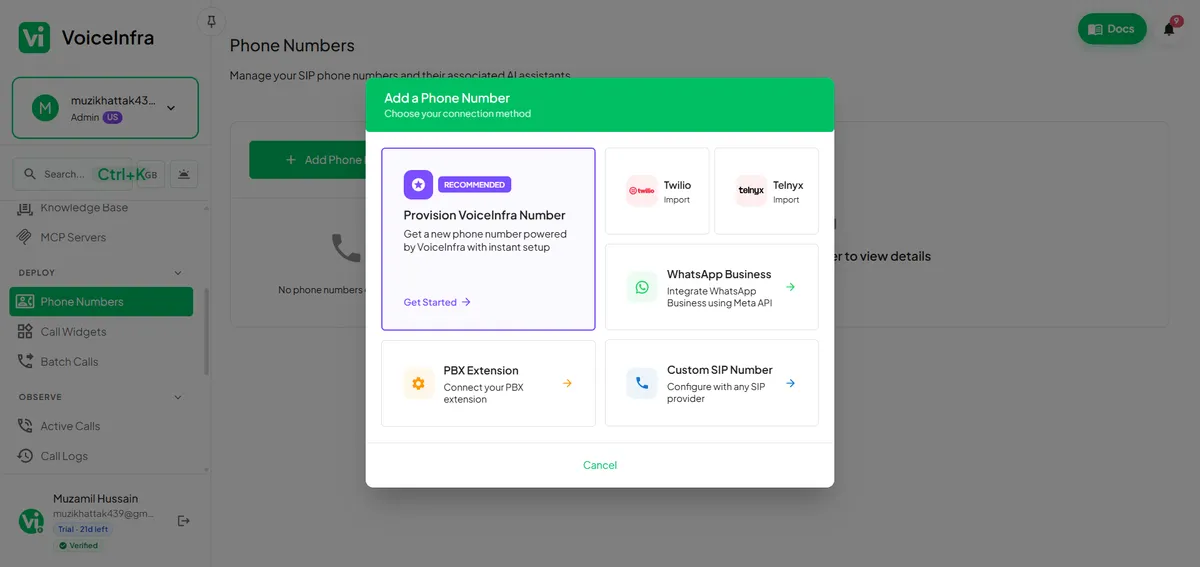
1. Provision a VoiceInfra Number (Recommended)
This is the fastest path and the one VoiceInfra highlights as recommended. Instead of setting up accounts elsewhere, you get a new number provisioned directly by VoiceInfra with instant setup. For teams that just want a working AI voice line today, without touching SIP configuration or a third party console, this is the option to click.
2. Twilio Import
If your business already runs numbers through Twilio, you do not need to migrate anything. VoiceInfra lets you import your existing Twilio numbers and route them straight into your AI assistants, keeping your existing billing and compliance setup with Twilio intact.
3. Telnyx Import
Same idea as Twilio, built for teams already using Telnyx as their carrier. You import the number you already own and connect it to a VoiceInfra assistant, so your current telephony provider keeps handling the line while VoiceInfra handles the intelligence behind it.
4. WhatsApp Business
If your business already uses a WhatsApp Business number, you can connect it to VoiceInfra through SIP integration. This allows your existing WhatsApp Business number to be linked directly to a VoiceInfra AI voice agent for calling, without changing your current setup. VoiceInfra handles the AI-powered voice conversations,
5. PBX Extension
For businesses running an internal PBX system, VoiceInfra can connect as an extension. This is useful when you want the AI agent to sit alongside your existing office phone setup rather than replace it, for example answering overflow calls or handling a specific department's line.
6. Custom SIP Number
If none of the above fit, VoiceInfra supports configuration with any SIP provider. This is the option for teams with custom or regional carriers, or specific compliance requirements that mean the number has to stay with a particular provider.
Why This Flexibility Matters
Most voice AI platforms force you into their own numbers or a single carrier integration. That works fine until your business already has numbers people recognize, a Twilio account with call history, or a regional SIP provider you are contractually tied to. VoiceInfra's approach, instant provisioning on one end and full carrier flexibility on the other, means you are not rebuilding your telephony stack just to add an AI layer on top of it. You bring what you have, or you get a number in a click, and either way your AI assistant is live on a real phone line the same day.
How to Add Your First Number, Step by Step
Go to Deploy > Phone Numbers in your VoiceInfra dashboard.
Click the green Add Phone Number button.
Choose your connection method from the six options above.
If you pick Provision VoiceInfra Number, click Get Started and follow the instant setup.
If you pick Twilio or Telnyx, sign in and select the number you want to import.
Assign the number to the AI assistant you want handling those calls.
Test the line with an outbound or inbound call before pointing real traffic at it.
Frequently Asked Questions
Do I need to already have a phone number to use VoiceInfra? No. If you do not have one, the Provision VoiceInfra Number option gets you a working number with instant setup, no external account needed.
Can I keep using my existing Twilio or Telnyx number? Yes. Both providers are supported through direct import, so your existing number, call history, and provider relationship stay exactly as they are.
Is WhatsApp handled the same way as a phone number? It is a separate integration using the Meta API, but it lives in the same Phone Numbers section, so you manage voice and WhatsApp from one place.
What if my business uses an internal PBX system? Use the PBX Extension option to connect VoiceInfra as an extension on your existing setup, rather than replacing your office phone system.
Does VoiceInfra work with SIP providers that are not listed? Yes. The Custom SIP Number option lets you configure any SIP provider manually.
How long does setup usually take? Provisioning a new VoiceInfra number takes minutes. Importing from Twilio or Telnyx is just as fast since you are connecting an existing number rather than creating one.
Get Started
You can try this yourself in a few minutes. Sign up for a free VoiceInfra trial and connect your first number from the Phone Numbers dashboard today.
If you want to see pricing before you commit, check the VoiceInfra pricing page. And if you have questions about which connection method fits your setup, contact the VoiceInfra team and we will help you map it out.